
The landscape of AI video generation is rapidly evolving, with Google Veo 3 emerging as a formidable tool for creators seeking cinematic quality. Moving beyond simple text-to-video, mastering effective google Veo 3 prompts is now paramount for achieving the hyper-realistic motion and precise scene control that defines stunning visual narratives. As the demand for high-fidelity AI-generated content surges, understanding how to articulate complex visual concepts—from dynamic camera movements like a low-angle tracking shot through a bustling market to nuanced character expressions—transforms a basic idea into a polished, professional-grade production. This shift requires a strategic approach to prompting, leveraging Veo’s advanced understanding of physics and aesthetics.
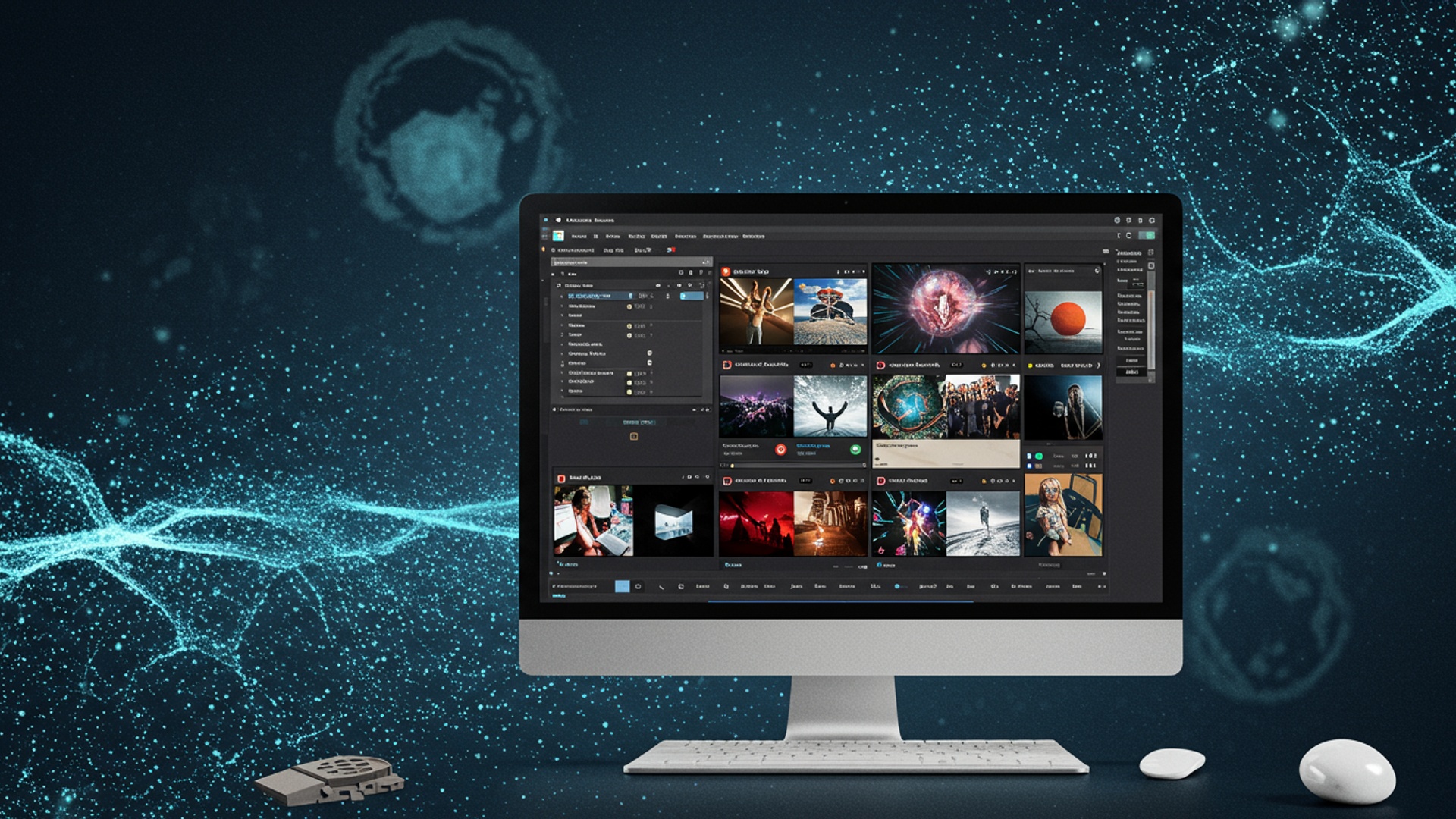
Unleashing Creative Power: Understanding Google Veo 3 and the Art of Prompt Engineering
Get ready to dive headfirst into the exhilarating world of AI-powered video creation! Google Veo 3 is here. it’s nothing short of a game-changer. Imagine transforming your wildest ideas into breathtaking, high-quality video clips with just a few lines of text. That’s the magic of Veo 3. But like any powerful tool, its true potential is unlocked by understanding how to wield it effectively. This isn’t just about typing a few words; it’s about mastering the art of ‘prompt engineering.’
So, what exactly is Google Veo 3? At its core, Veo 3 is Google’s cutting-edge generative AI model designed specifically for video creation. It takes text descriptions – known as ‘prompts’ – and synthesizes them into realistic, coherent. often stunning video footage. Think of it as having a miniature Hollywood studio at your fingertips, where you’re the director, cinematographer. editor, all rolled into one, communicating your vision to an incredibly talented, albeit digital, crew.
And prompt engineering? This is your superpower! It’s the skill of crafting precise, effective instructions for an AI model like Veo 3 to get exactly the output you envision. It’s less about coding and more about clear, creative communication. The better your google Veo 3 prompts, the more spectacular your results will be. It’s a skill that pays dividends, transforming vague concepts into visually striking realities. As we explore the 10 essential google Veo 3 prompts, you’ll see how mastering this skill can elevate your video game to an entirely new level.
The Foundational Elements of Effective Google Veo 3 Prompts
Before we jump into specific prompts, let’s establish a few universal principles that make any google Veo 3 prompt shine. Think of these as your secret ingredients for success:
- Be Specific, Not Vague
- Focus on the Core Subject First
- Use Descriptive Adjectives and Adverbs
- Specify Style and Mood
- Consider Camera Angles and Shots
- Iterate and Experiment
Instead of “a car,” try “a sleek, futuristic electric car, metallic silver, driving on a winding coastal road at sunset.” Details matter!
Start with what’s most essential in your scene.
“Joyful laughter” is better than “laughter.” “Gracefully gliding” beats “moving.”
Do you want a “cinematic,” “documentary,” “anime,” “dreamlike,” or “gritty” feel? What’s the emotional tone – “serene,” “tense,” “whimsical”?
“Wide shot,” “close-up,” “dolly zoom,” “low angle” can dramatically change the output.
Don’t be afraid to try different phrasings, add or remove details. learn from each generated video. The best google Veo 3 prompts often come from refinement.
Let’s dive into the prompts themselves, each designed to give you a powerful lever in your creative arsenal!
1. The Scene Setter: Crafting Immersive Environments
Your video needs a stage. this prompt category helps you build it. It’s all about establishing the ‘where’ and ‘when,’ setting the mood and atmosphere before anything even happens. Think of yourself as a world-builder, laying down the visual foundations for your narrative.
- What it does
- Why it’s essential
- Real-world application
- Actionable takeaway
Defines the location, time of day, weather. overall ambiance. This is crucial for setting the tone.
A well-described environment immediately transports the viewer and provides context for any action that follows. It’s the background against which your story unfolds.
Imagine you’re creating a short film for a school project or a social media ad. A strong scene-setting prompt can instantly create a professional-looking backdrop without needing expensive set design or location scouting.
Always start with the core environment, then layer on details like lighting, weather. specific architectural or natural elements.
Prompt Example:
"A bustling cyberpunk city street at night, neon signs reflecting off wet pavement, light rain falling, steam rising from grates, futuristic vehicles whizzing by. Cinematic, high-contrast lighting."
2. The Character Creator: Bringing Subjects to Life
No video is complete without its subjects, whether they’re people, animals, or even animated objects. This prompt focuses on detailing who or what is central to your scene, ensuring they appear exactly as you envision.
- What it does
- Why it’s essential
- Real-world application
- Actionable takeaway
Describes the appearance, attire. sometimes even the implied personality of your main subjects.
Precise character descriptions ensure consistency and help Veo 3 generate subjects that align with your creative vision. A well-defined character makes your video more engaging.
Need a specific type of influencer for a product demo? Or a unique creature for a fantasy short? This prompt nails down those visual specifics. From a quirky animated mascot for an explainer video to a specific historical figure, the character creator prompt is your go-to.
Be specific about physical traits, clothing, accessories. even subtle expressions.
Prompt Example:
"A young woman with vibrant purple hair, wearing a distressed denim jacket and chunky combat boots, laughing joyfully, holding a vintage film camera. Shot from the waist up, shallow depth of field."
3. The Action Director: Orchestrating Movement and Events
Videos are all about motion! This category of google Veo 3 prompts tells the AI what your subjects are doing, how they’re moving. what events are unfolding in the scene.
- What it does
- Why it’s essential
- Real-world application
- Actionable takeaway
Defines the actions, movements. interactions within the video clip.
Without clear action, your video might be static. This prompt brings dynamism and narrative progression to your scenes. It’s how you tell the “what’s happening.”
Perfect for demonstrating a product in use, showing a character performing a specific task, or depicting a natural phenomenon like a bird taking flight. Think instructional videos or dynamic B-roll for a vlog.
Use strong verbs and adverbs to describe motion. Specify the speed and intensity of the action.
Prompt Example:
"A majestic eagle gracefully soaring through a canyon, circling slowly, then diving swiftly towards the river below. Golden hour light, smooth camera tracking."
4. The Style & Aesthetics Architect: Defining Visual Identity
Every great video has a distinct look and feel. This prompt allows you to dictate the artistic style, color palette, lighting. overall visual aesthetic, giving your video a professional and cohesive appearance.
- What it does
- Why it’s essential
- Real-world application
- Actionable takeaway
Controls the visual characteristics like art style (e. g. , photorealistic, impressionistic, CGI), color grading, lighting setup. overall mood.
This is where you infuse your creative personality. A consistent style elevates your video from generic to unique and memorable. It dictates whether your video feels like a gritty noir film or a whimsical cartoon.
Creating a consistent brand aesthetic for marketing content, matching the visual style of an existing project, or simply experimenting with different artistic interpretations of a scene.
Use established art terms or descriptive phrases to convey your desired visual style. Mention specific lighting conditions (e. g. , “chiaroscuro,” “soft box lighting”).
Prompt Example:
"A close-up of a blooming rose, dewdrops glistening on petals. Shot in a vibrant, hyperrealistic style, soft natural light, shallow depth of field, macro lens."
5. The Emotional Amplifier: Injecting Feeling and Atmosphere
Beyond what’s seen, how does your video feel? This prompt helps you imbue your scenes with specific emotions, creating a more powerful and resonant viewing experience. It’s about evoking a response from your audience.
- What it does
- Why it’s essential
- Real-world application
- Actionable takeaway
Specifies the emotional tone, atmosphere, or feeling you want the video to convey.
Emotionally resonant videos are more impactful and memorable. This prompt helps guide Veo 3 to select appropriate visuals, colors. even character expressions to match the desired mood.
Crafting a poignant scene for a drama, a thrilling sequence for an action clip, or a calming visual for a meditation app. Imagine trying to create a “joyful wedding” scene versus a “melancholy farewell” – the prompt dictates the subtle cues.
Use strong emotional adjectives and adverbs. Think about how colors and lighting contribute to mood and include those details.
Prompt Example:
"A lone figure standing on a cliff overlooking a vast, stormy ocean. The scene is imbued with a sense of profound solitude and quiet contemplation. Dark, moody lighting, slow camera pan across the vista."
6. The Narrative Driver: Suggesting Story and Sequence
While Veo 3 generates short clips, you can guide it to imply a larger story or a sequence of events, making your individual videos feel like part of a greater whole. This is about hinting at progression.
- What it does
- Why it’s essential
- Real-world application
- Actionable takeaway
Suggests a mini-narrative or a sequence of related actions that unfold within the short clip.
It helps create more dynamic and engaging clips that feel like they’re leading somewhere or have just come from somewhere, adding depth beyond a single static moment.
Creating a short product journey (e. g. , unboxing to use), a character’s transformation, or a cause-and-effect sequence for educational content. For example, showing a seed sprouting, then growing, then flowering – even in a short clip, the progression can be implied.
Use sequential language or imply a progression of events. Focus on the beginning, middle. end of a very short action arc.
Prompt Example:
"A scientist carefully places a small, glowing orb into a complex device. The device hums to life, lights flicker. a holographic projection slowly materializes above it. Tense, dramatic lighting."
7. The Technical Precision Prompt: Controlling Camera and Composition
Just like a human cinematographer, you can direct Veo 3 on how to ‘film’ your scene. This prompt category gives you control over camera angles, movement, lens choices. overall composition.
- What it does
- Why it’s essential
- Real-world application
- Actionable takeaway
Dictates specific camera operations, angles, shot types. cinematic techniques.
Professional video production relies heavily on camera work. By specifying these details, you gain greater creative control over the final look and feel, mimicking expert cinematography.
Recreating a classic film shot, achieving a dynamic tracking shot for an action sequence, or using a wide-angle lens for sweeping landscapes in a travel vlog.
Familiarize yourself with common cinematic terms (e. g. , “dolly shot,” “crane shot,” “POV,” “Dutch angle,” “telephoto lens”).
Prompt Example:
"A low-angle shot of a skateboarder grinding a rail in a dimly lit urban skatepark. The camera tracks alongside them with a smooth, dynamic motion. Wide-angle lens, dramatic shadows."
8. The Dynamic Environment Prompt: Introducing Weather and Effects
The world around your subjects can be just as essential as the subjects themselves. This prompt allows you to introduce dynamic environmental elements like weather, natural phenomena, or special effects.
- What it does
- Why it’s essential
- Real-world application
- Actionable takeaway
Adds dynamic elements to the environment, such as rain, snow, fog, fire, dust, or other atmospheric effects.
Environmental effects add realism, drama. visual interest. They can also significantly contribute to the mood and narrative. A stormy sea feels very different from a calm one.
Creating a dramatic storm scene for a fantasy clip, a peaceful snowfall for a holiday advertisement, or a mysterious foggy forest for a horror short.
Be specific about the type, intensity. visual impact of the environmental effect.
Prompt Example:
"A dense, ancient forest shrouded in an ethereal mist, sunlight filtering through the canopy, creating mystical light rays. A gentle breeze rustles the leaves. Dreamlike, soft focus."
9. The Abstract & Conceptual Prompt: Pushing Boundaries
Sometimes, you want to go beyond the literal and explore more conceptual or abstract ideas. This prompt encourages Veo 3 to interpret ideas creatively, leading to truly unique and artistic outputs.
- What it does
- Why it’s essential
- Real-world application
- Actionable takeaway
Guides Veo 3 to generate videos based on abstract concepts, metaphors, or non-literal descriptions.
This is where true innovation happens. It allows you to create art that transcends simple realism, pushing the boundaries of what AI video can achieve. It’s fantastic for visual metaphors or experimental art.
Generating visualizers for music, creating conceptual art pieces, or developing unique background animations for presentations that evoke an idea rather than depict a scene.
Experiment with strong verbs and nouns, combine disparate concepts. don’t be afraid to be poetic or philosophical in your descriptions.
Prompt Example:
"The concept of 'memory fading,' depicted as shimmering, translucent fragments of light dissolving into a swirling void. Ethereal, melancholic, slow-motion."
10. The Iterative Refinement Prompt: Mastering the Art of Evolution
Great videos are rarely made in a single pass. This prompt isn’t a single phrase but a strategy: continuously refining your initial google Veo 3 prompts based on previous outputs. It’s a dialogue with the AI.
- What it does
- Why it’s essential
- Real-world application
- Actionable takeaway
This is a meta-prompt, representing the process of taking an initial prompt, generating a video, analyzing the results. then modifying the prompt to improve or change specific elements.
AI models don’t always get it perfect on the first try. Iteration allows you to steer the AI closer to your vision, fixing errors, adding details, or exploring variations. It’s the core of effective prompt engineering.
You might initially ask for “a dog running.” If the dog is the wrong breed, or the background isn’t right, your next prompt would be “a golden retriever playfully running through a sun-drenched meadow, close-up, low angle.” You’re building on what you learned.
Always review your output critically. Ask yourself: “What worked? What didn’t? What specific detail needs to be added, changed, or removed?” Use previous results as a stepping stone to your next, more precise prompt.
Initial Prompt:
"A busy city street." Refined Prompt (after seeing generic city):
"A bustling Tokyo street at rush hour, pedestrians with umbrellas, neon signs, vibrant reflections on wet asphalt. Cinematic, rain falling lightly." Further Refined Prompt (after seeing flat lighting):
"A bustling Tokyo street at rush hour, pedestrians with umbrellas, neon signs, vibrant reflections on wet asphalt. Cinematic, rain falling lightly, dramatic overhead streetlights creating long shadows."
Comparing Prompting Approaches: Detail vs. Conciseness
When crafting your google Veo 3 prompts, you’ll encounter a fundamental choice: how much detail to include. There isn’t a single ‘right’ answer, as both highly detailed and more concise prompts have their place.
| Prompting Approach | Description | Pros | Cons | Best Use Case |
|---|---|---|---|---|
| Highly Detailed Prompts | Verbose, specifies many elements: subject, action, environment, style, camera, mood, etc. |
|
|
When you have a very clear, precise vision and need specific elements in your video. Ideal for specific product shots or scene recreation. |
| Concise Prompts | Short, focused on a few key elements, allowing the AI more room for interpretation. |
|
|
For brainstorming, exploring broad ideas, or when you want the AI to surprise you with creative interpretations. Good for early-stage conceptualization. |
The key is to find the balance that suits your project. Often, a good strategy is to start with a concise prompt to get a general idea, then use iterative refinement (Prompt #10) to add detail as you zero in on your desired output. This flexible approach allows you to leverage the strengths of both methods, ensuring your google Veo 3 prompts are always working for you.
Mastering the Prompt: Your Gateway to Video Creation
The journey into AI video creation with Google Veo 3 is an incredibly exciting one. By understanding these 10 essential google Veo 3 prompts and the underlying principles of prompt engineering, you’re not just a user – you’re a director, an artist. a storyteller. Each prompt is a brushstroke, a camera movement, a set piece in your virtual studio. The more you experiment, the more you learn. the more astonishing your video creations will become.
So, fire up Veo 3, grab these prompt ideas. start crafting your next stunning video. The only limit is your imagination!
Conclusion
Mastering Google Veo 3 isn’t just about knowing the tool; it’s about understanding the art of prompt engineering to unlock its full potential. The prompts shared serve as a powerful foundation, moving you beyond generic outputs to truly stunning video creations. I’ve personally discovered that focusing on specific camera movements and emotional cues, like “a sweeping drone shot revealing a wistful figure,” transforms a simple scene into something cinematic and evocative, much like the recent advancements we’re seeing in AI video generation. To truly excel, make these prompts your starting point, not your endpoint. Experiment with varying descriptors for lighting, ambiance. character actions, iterating on them to capture your unique vision. This hands-on refinement is crucial for crafting content that resonates, particularly as AI tools like Veo 3 continue to evolve rapidly. Embrace this journey of discovery; your perfect prompt is often just a few tweaks away.
More Articles
Generate Jaw Dropping Videos Unlock OpenAI Sora Prompt Secrets
Master AI Image Creation 10 Essential Tips for Perfect Visuals
Master Human AI Collaboration for Creative Content Success
Create Stunning Images Easily Your Guide to Gemini AI Art
Spark Brilliant Ideas How AI Unlocks Creative Thinking 
FAQs
What’s the big deal with these Google Veo 3 prompts?
These prompts are specifically designed to help you get the most out of Google Veo 3’s video generation capabilities. They act like blueprints, guiding the AI to create visually impressive and high-quality video content that truly stands out.
How do these 10 prompts make my videos look ‘stunning’?
They focus on key elements like descriptive scene setting, specific camera angles, lighting conditions, emotional tone. desired visual styles. By providing this detailed input, you steer Veo 3 away from generic outputs and towards cinematic, polished results.
Are these prompts suitable for someone new to video creation or just Google Veo?
Absolutely! While experienced users will certainly benefit, these prompts are excellent for beginners too. They simplify the process of communicating your vision to the AI, helping you achieve professional-looking videos without needing extensive technical knowledge.
Can I adapt these prompts for different types of videos, like short films or product demos?
Yes, definitely. These prompts are versatile. While they provide a strong foundation, you can easily tweak and combine them to suit various genres and purposes, whether you’re creating a dramatic short, an engaging explainer, or a sleek product showcase.
Do I need any special software or tools to use these prompts with Google Veo 3?
Nope, not really. You just need access to Google Veo 3 itself. These prompts are essentially text commands you’ll input directly into the Veo 3 interface to guide its video generation process.
What if I use these prompts and my video still doesn’t quite hit the mark?
Don’t worry! AI video generation often involves a bit of experimentation. If your first attempt isn’t perfect, try refining the prompt by adding more specific details, adjusting the emotional tone, or even combining elements from different prompts. Small changes can make a big difference.
Can you give an example of what one of these ‘essential’ prompts might look like?
While the article itself would list the exact 10, a typical essential prompt might include elements like: ‘Cinematic shot of a lone astronaut exploring a vibrant alien jungle at sunset, soft golden hour lighting, wide-angle, mysterious and awe-inspiring atmosphere.’ It’s all about rich, descriptive language.