
The visual creation landscape has radically shifted, fundamentally transforming how we conceive and produce imagery through sophisticated AI art platforms. No longer confined by traditional artistic skill or extensive software knowledge, anyone can now harness the power of advanced ai image creation tools like Midjourney v6 or DALL-E 3 to manifest complex visions. These platforms, leveraging cutting-edge generative models, translate intricate textual prompts into stunning photorealistic scenes, abstract masterpieces, or unique brand assets, democratizing high-quality visual content production. This era marks a pivotal shift where imaginative prompt engineering becomes the primary skill, enabling rapid iteration and unparalleled creative output for everything from concept art to viral marketing campaigns.
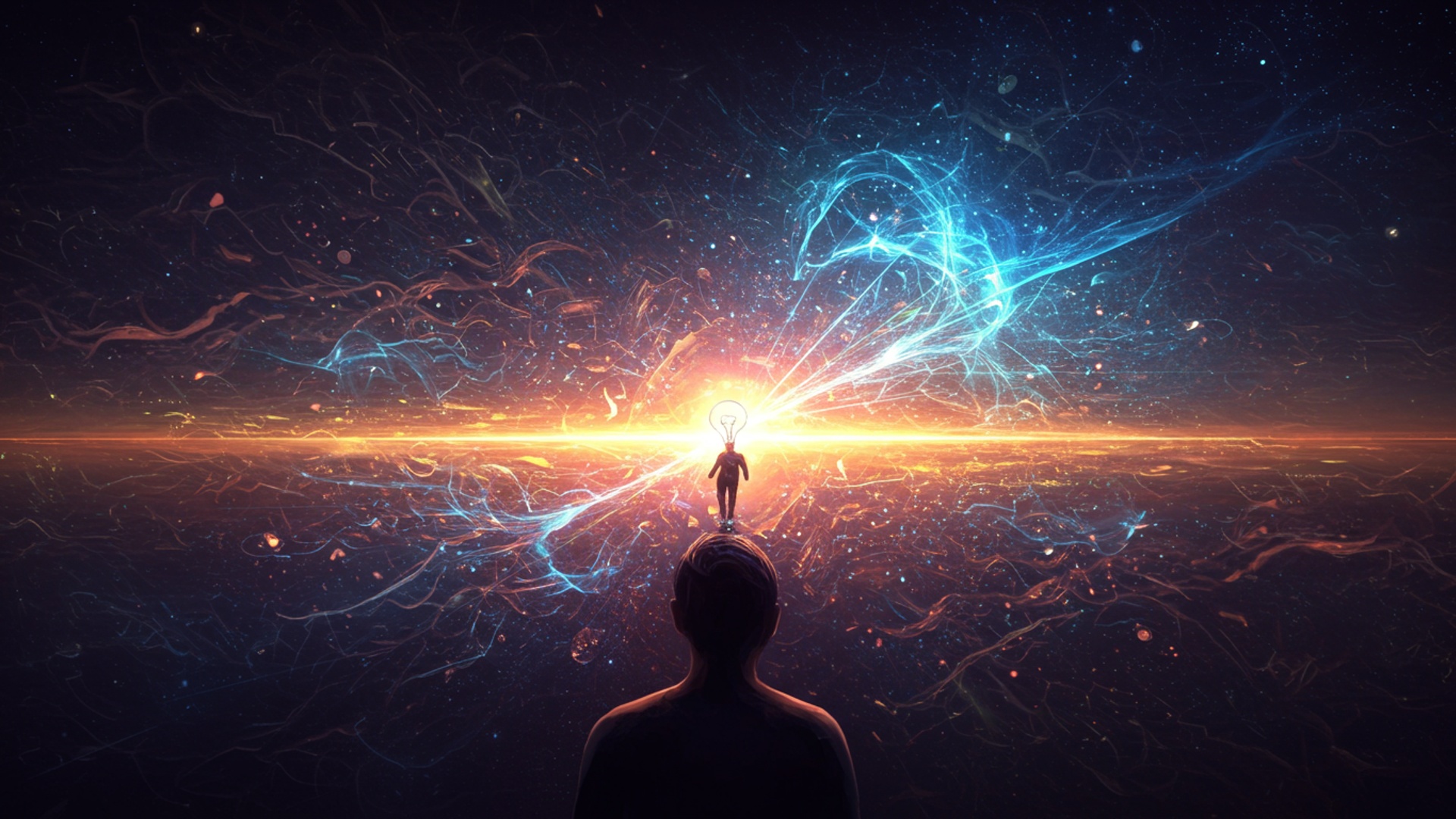
Understanding the Magic Behind AI Art
In an era where technology constantly pushes the boundaries of human creativity, Artificial Intelligence (AI) has emerged as a groundbreaking tool, fundamentally transforming how we conceive and create visual content. What once required skilled hands, expensive software. countless hours, can now be conjured from simple text descriptions. This revolutionary field, often referred to as AI art or generative AI, is democratizing the creation of stunning visuals, making it accessible to virtually anyone with an idea.
At its core, AI art is the process of using artificial intelligence algorithms to generate new images, or modify existing ones, based on human input. This input typically comes in the form of text prompts, which describe the desired image. The AI then interprets these words, drawing upon vast datasets of images and their descriptions to construct a unique visual representation. It’s like having an incredibly skilled artist who understands your exact vision, even if you only express it in a few sentences.
How Does AI Image Creation Work? The Engines Behind the Art
The magic of ai image creation is powered by sophisticated machine learning models, primarily two types: Generative Adversarial Networks (GANs) and Diffusion Models. Understanding these concepts helps demystify how AI interprets your ideas and brings them to life.
- Generative Adversarial Networks (GANs)
- Diffusion Models
Imagine two AIs playing a game. One AI, the “Generator,” tries to create realistic images. The other, the “Discriminator,” tries to tell if an image is real or generated. They go back and forth, constantly improving. The Generator gets better at fooling the Discriminator. the Discriminator gets better at spotting fakes. This adversarial process refines the Generator’s ability to produce incredibly convincing and novel images. While once at the forefront, GANs have largely been succeeded by diffusion models for many modern ai image creation tasks.
These are the current powerhouses behind most popular AI art tools. Diffusion models work by learning to reverse a process of “diffusing” an image with noise. Think of it like this: the AI is shown an image. then gradually has noise added to it until it’s just static. The AI learns how to reverse this process, starting from pure noise and gradually “denoising” it into a coherent image, guided by a text prompt. This iterative denoising process allows for incredibly detailed and context-aware image generation. The ability of these models to interpret and interpret complex text prompts has made them incredibly versatile for ai image creation.
These models are trained on colossal datasets – billions of images paired with descriptive text. This allows them to learn the intricate relationships between words and visual concepts, enabling them to generate an almost infinite variety of images based on your prompts.
Key Concepts and Technologies in AI Image Creation
To effectively transform your ideas into stunning visuals, it’s crucial to comprehend the language and tools of ai image creation. Here are some fundamental concepts:
- Prompt Engineering
- AI Models (e. g. , Stable Diffusion, Midjourney, DALL-E)
- Stable Diffusion
- Midjourney
- DALL-E
- Parameters
- Negative Prompts
- Aspect Ratio
- Stylization/Stylize Value
- Seed
- Upscaling
- Inpainting/Outpainting
- Inpainting
- Outpainting
This is the art and science of crafting effective text prompts to guide AI models. It’s not just about telling the AI what you want. how you want it, in what style, with what mood. what elements should be prioritized. A well-engineered prompt is the difference between a generic image and a masterpiece. For example, “a cat” will yield a simple cat. “a whimsical Siamese cat wearing a tiny top hat, sitting on a Victorian armchair, painted in the style of Van Gogh, dramatic lighting” paints a much more specific and evocative picture.
These are the specific AI programs or platforms you interact with to create images. Each model has its own strengths, nuances. artistic tendencies.
An open-source model that can be run locally or via various online services. It’s highly customizable and offers great control, making it a favorite for advanced users.
Known for its distinctive, often artistic and fantastical aesthetic. It’s primarily accessed via Discord and excels at generating highly stylized and imaginative visuals.
Developed by OpenAI, DALL-E is renowned for its ability to generate photorealistic images and its understanding of complex, unconventional prompts.
These are settings you can adjust to fine-tune the AI’s output. Common parameters include:
Telling the AI what you don’t want to see (e. g. , “ugly, blurry, deformed, text”).
Defining the width-to-height ratio of your image (e. g. , 16:9 for landscape, 9:16 for portrait, 1:1 for square).
For models like Midjourney, this controls how much artistic flair the AI applies.
A unique number that determines the initial noise pattern the AI starts with. Using the same seed with the same prompt often yields similar results, useful for iterating.
AI models often generate images at a lower resolution to save computational resources. Upscaling uses AI to intelligently increase the image resolution without losing detail, making it suitable for printing or high-definition display.
Allows you to select a specific area of an existing image and use AI to fill it with new content based on a prompt. For example, removing an object or changing a detail.
Extends an image beyond its original borders, intelligently generating new content that seamlessly blends with the existing picture.
Getting Started: Your First AI Art Creation
Embarking on your ai image creation journey is easier than you might think. Here’s a basic guide to get you started:
Choosing a Platform
The first step is to select an AI art generation platform. Your choice might depend on your budget, desired aesthetic. technical comfort level.
| Platform | Primary Access | Key Strength | Ease of Use | Cost Model |
|---|---|---|---|---|
| Midjourney | Discord Bot | Artistic, fantastical, distinctive style | Moderate (Discord interface) | Subscription (free trial available) |
| DALL-E 3 (via ChatGPT Plus) | ChatGPT web interface | Photorealism, complex prompt understanding | Very Easy (natural language chat) | Subscription (ChatGPT Plus) |
| Stable Diffusion (various interfaces) | Web UIs (e. g. , Leonardo. AI, Clipdrop, Fooocus, locally via Automatic1111) | Versatile, customizable, open-source | Varies (Easy to Advanced) | Free/Paid (depends on interface) |
| Adobe Firefly | Web interface | Integrated with Adobe ecosystem, commercial safety | Easy | Subscription (Adobe Creative Cloud) |
Crafting Effective Prompts: Your Blueprint for AI Image Creation
Once you’ve chosen a platform, the real fun begins: writing prompts. Think of your prompt as a detailed instruction manual for the AI. Here are actionable tips:
- Be Descriptive
- Specify Style
- Define Composition and Lighting
- Include Mood and Atmosphere
- Use Keywords for Quality
- Experiment with Negative Prompts
Use adjectives, adverbs. specific nouns. Instead of “a house,” try “a charming cottage, nestled in an enchanted forest, sunlight filtering through ancient trees.”
Mention artistic styles (“oil painting,” “digital art,” “pencil sketch,” “anime,” “photorealistic”), artists (“in the style of Van Gogh,” “by Greg Rutkowski”), or movements (“Art Deco,” “Surrealism”).
Describe camera angles (“wide shot,” “close-up”), lighting (“cinematic lighting,” “golden hour,” “dramatic chiaroscuro”). perspective.
Words like “serene,” “eerie,” “vibrant,” “melancholy” can significantly impact the output.
Terms like “8k,” “ultra detailed,” “photorealistic,” “masterpiece,” “award-winning” can guide the AI towards higher quality.
Don’t forget to tell the AI what you don’t want (e. g. , –no blurry, deformed, low quality).
 Original Idea: A futuristic city. Basic Prompt: "futuristic city"
Better Prompt: "A sprawling cyberpunk city at night, neon lights reflecting on wet streets, flying cars, towering skyscrapers, detailed, photorealistic, cinematic lighting." Advanced Prompt (for Midjourney): "A sprawling cyberpunk city at night, neon lights reflecting on wet streets, flying cars, towering skyscrapers, detailed, photorealistic, cinematic lighting --ar 16:9 --style raw --v 5. 2"
My first experience with ai image creation was trying to generate a logo for a personal project. I started with “robot head logo.” The results were okay. not unique. After learning about prompt engineering, I refined it to “minimalist futuristic robot head logo, sleek, metallic, glowing blue eyes, abstract lines, vector art, on a dark background.” The difference was astounding – from a generic clipart-like image to a sophisticated, custom-looking design in seconds.
Beyond Basic Prompts: Advanced Techniques for Stunning Visuals
Once you’re comfortable with basic ai image creation, advanced techniques can unlock even greater control and creativity, pushing the boundaries of what’s possible.
- Image-to-Image Generation (Img2Img)
- Applying new styles to existing photos (e. g. , turning a photo into a painting).
- Varying an existing AI-generated image.
- Making subtle or drastic changes to a source image while retaining its core composition.
- ControlNet
- Pose Control
- Edge Detection
- Depth Map
- LoRAs (Low-Rank Adaptation)
- Textual Inversion/Embeddings
Instead of starting from scratch with a text prompt, Img2Img uses an existing image as a starting point. You provide an image and a text prompt. the AI transforms the original image according to your instructions. This is incredibly useful for:
A groundbreaking development, ControlNet allows you to exert precise control over the composition and structure of your AI-generated images. You provide an input image (like a sketch, a depth map, or a human pose skeleton). the AI will generate an image that adheres to that structure while following your text prompt. This is a game-changer for artists and designers who need specific compositions.
Give the AI a stick figure. it will generate a character in that exact pose.
Provide a line drawing. the AI will color and render it according to your prompt.
Use a depth map (showing how far objects are from the camera) to maintain spatial relationships.
For instance, an architect could use a simple floor plan (edge map) with ControlNet to quickly visualize different design styles (e. g. , “modern minimalist,” “rustic farmhouse”) for a room, all while keeping the room’s layout consistent.
LoRAs are small, specialized model files that can be loaded on top of a larger base AI model (like Stable Diffusion) to fine-tune its output towards a very specific style, character, or object. Think of them as plugins that teach the AI new, niche concepts without retraining the entire large model. This is invaluable for generating consistent characters, specific art styles, or particular objects repeatedly.
Similar to LoRAs, textual inversions (also known as embeddings) allow you to teach the AI a new concept by associating a specific word or phrase with a set of images. Once trained, you can use that special word in your prompts. the AI will recall the visual concept you taught it. This is often used for creating consistent custom characters or specific stylistic elements.
Real-World Applications and Use Cases of AI Art
The impact of ai image creation extends far beyond novelty, finding practical applications across numerous industries and personal endeavors. Its ability to rapidly generate diverse visuals makes it an invaluable asset.
- Graphic Design and Marketing
- Concept Art for Games and Film
- Fashion Design
- Architecture and Interior Design
- Personal Expression and Fine Art
- Education and Storytelling
Businesses can quickly generate unique social media graphics, ad creatives, website banners. product mockups without hiring a designer for every single iteration. This accelerates content production and allows for extensive A/B testing of visuals. A small e-commerce store, for example, might use ai image creation to generate lifestyle photos of their products in various settings, saving significantly on traditional photography costs.
Concept artists can use AI to rapidly ideate and explore hundreds of variations for characters, environments, props. moods. This streamlines the pre-production phase, allowing creative directors to quickly narrow down visual directions before committing to detailed designs.
Designers can visualize new garment concepts, fabric patterns, or entire collections by simply describing them. AI can generate mockups on models, helping to see how designs would look in different contexts before physical production.
Architects and interior designers can quickly generate realistic renderings of spaces, experimenting with different materials, lighting. furniture arrangements. This provides clients with compelling visual proposals and helps designers iterate on ideas much faster.
Artists are using AI as a new medium, creating unique works that blend human creativity with algorithmic generation. It opens up new avenues for artistic exploration, allowing individuals to manifest visions that might be impossible or too time-consuming to achieve through traditional means. Many digital artists now integrate AI into their workflow, using it for initial concept generation or background elements.
Educators can generate custom illustrations for teaching materials, making lessons more engaging. Authors and storytellers can create visual companions for their narratives, bringing their worlds to life for readers.
Case Study: Local Bakery’s Branding Refresh
A local bakery, “The Sweet Spot,” wanted to refresh its branding but had a limited budget for professional photography and design. The owner, Sarah, decided to experiment with ai image creation. She used a platform like Midjourney to generate various whimsical illustrations of pastries, coffee cups. rustic bakery interiors based on prompts like “vintage style illustration of a croissant with steam, warm lighting, pastel colors” and “cozy bakery interior, shelves filled with bread, soft morning light, watercolor style.” Within a few hours, she had dozens of unique images that perfectly captured her brand’s aesthetic. These images were then used for social media posts, a new menu design. even printed art for the shop walls, all at a fraction of the cost of traditional design services. This demonstrates the power of accessible ai image creation for small businesses.
Navigating the Ethical Landscape of AI Image Creation
While the capabilities of ai image creation are exhilarating, it’s crucial to approach this technology with an awareness of its ethical implications. As with any powerful tool, responsible use is paramount.
- Copyright and Ownership
- Bias in AI Models
- Deepfakes and Misinformation
- Impact on Human Artists
A significant debate surrounds the copyright of AI-generated art. Who owns the image: the user who wrote the prompt, the AI model developer, or is it uncopyrightable? Laws are still evolving. different platforms have different terms of service regarding commercial use. It’s essential to check the specific licensing terms of the AI tool you are using, especially if you intend to use the images commercially. Also, the training data used for AI models often includes copyrighted material, leading to discussions about fair use and compensation for artists whose work contributed to the AI’s learning.
AI models learn from the data they are trained on. If this data contains biases (e. g. , underrepresentation of certain demographics, stereotypes), the AI will perpetuate and even amplify those biases in its output. For example, a prompt for “doctor” might predominantly generate male images, or “CEO” might generate images of a specific race. Awareness of these inherent biases is crucial. prompt engineering can often be used to actively counteract them (e. g. , “diverse group of doctors,” “female CEO”).
The ability of AI to generate highly realistic images and videos raises concerns about “deepfakes” – synthetic media that can be used to create convincing but fabricated content. This technology can be misused to spread misinformation, create fraudulent content, or harm individuals’ reputations. Responsible users must be mindful of the potential for misuse and advocate for ethical guidelines and detection methods.
There are valid concerns about how AI art will affect the livelihoods of human artists and designers. While AI can automate certain tasks, many believe it will evolve into a powerful co-creative tool, allowing artists to focus on higher-level conceptualization and unique human expression, rather than replacing them entirely. The key is to view AI as an assistant or a new medium, rather than a competitor.
As creators, we have a responsibility to use ai image creation ethically, to be transparent about its use. to contribute to the ongoing conversation about its societal impact. Understanding these challenges is the first step toward harnessing AI’s power for good.
Tips for Maximizing Your AI Art Potential
To truly transform your ideas into stunning visuals with ai image creation, consistent practice and a curious mindset are key. Here are some actionable tips:
- Experiment Constantly
- Join Communities
- Learn from Others’ Prompts
- interpret Your Tool’s Limitations and Strengths
- Iterate and Refine
- Use Reference Images
- Beyond Just Generation
Don’t be afraid to try weird, unconventional prompts. The AI often produces unexpected and delightful results when pushed beyond typical descriptions. Change a single word, alter a parameter, or combine disparate concepts to see what emerges.
Platforms like Discord host vibrant AI art communities (e. g. , Midjourney’s official server, various Stable Diffusion communities). Observing how others craft prompts, sharing your own creations. getting feedback are invaluable for learning and growth. Many users share their successful prompts, offering a treasure trove of inspiration.
When you see an image you love, try to deconstruct the prompt that might have created it. Many artists share their prompts, especially in public generation feeds. assess the keywords, styles. structures they use.
Each AI model has a distinct personality and strengths. Midjourney might excel at fantastical illustrations, while DALL-E might be better for photorealistic, conceptual images. Stable Diffusion offers immense customizability. Learn what your chosen tool does best and tailor your prompts accordingly.
Your first prompt rarely yields the perfect image. Treat AI art creation as an iterative process. Generate several variations, pick the best one. use it as a base for further refinement. Add more detail, change the lighting, or introduce new elements in subsequent prompts.
If your AI tool supports image-to-image or ControlNet, use reference images to guide the composition, style, or specific elements. This offers a level of control that pure text prompting cannot achieve.
Remember that AI-generated images can be just the starting point. Many artists take AI outputs into traditional image editing software (like Photoshop or GIMP) to add human touches, fix imperfections, or combine elements, creating true hybrid art.
Conclusion
You’ve now seen how AI art is more than just a novelty; it’s a powerful co-creator for transforming abstract concepts into tangible, stunning visuals. The key takeaway is that your ideas are the fuel. prompt engineering is your steering wheel. My personal tip is to embrace iterative refinement – don’t settle for the first output. For instance, if you envision a “steampunk city at sunset,” play with adjectives like “ornate,” “gritty,” or “serene” and experiment with different AI models like Midjourney or DALL-E 3, which are rapidly integrating more nuanced control. This journey is about discovery, much like how artists in the past adapted to new mediums. Recent developments, such as control over specific poses or styles with tools like Stable Diffusion’s ControlNet, empower you to achieve unparalleled precision. I remember struggling to get the exact mood for a fantasy landscape. by adding “moody chiaroscuro lighting” to my prompt, the AI delivered something truly breathtaking. Your creativity, coupled with AI’s speed, unlocks a new frontier of visual storytelling. So, don’t just dream your ideas; bring them to life. The canvas awaits. AI is ready to paint alongside you.
More Articles
The Ultimate Guide to AI Prompt Engineering for Everyone
Discover Gemini Image Creation Craft Beautiful AI Art Effortlessly
Master Advanced Prompt Engineering Unlock Powerful AI Results
Master Google Veo 3 Prompts for Incredible Video Results
Turn Your Ideas into Stunning Videos Instantly with Grok AI 
FAQs
What exactly is AI art and how can it help me?
AI art uses artificial intelligence to generate unique images from your text descriptions or existing visuals. It’s like having a super-fast digital artist that can bring your wildest concepts to life, even if you can’t draw a stick figure yourself!
So, how does this AI thingy transform my thoughts into awesome pictures?
You simply describe what you envision using words – think of it as telling a story. The AI then processes your text, understands the elements, styles. moods you’re going for. then generates a visual representation based on that input. It’s truly magical to see your words become images!
Do I need any special art skills or fancy software to get started?
Absolutely not! That’s one of the best parts. You don’t need to be a professional artist, know complex software, or even own a drawing tablet. If you can type out an idea, you can create stunning AI art. It’s designed for everyone.
What types of visuals can I actually create with AI?
The possibilities are pretty vast! You can generate anything from realistic landscapes, abstract concepts, character designs, futuristic cityscapes, album covers, digital paintings, illustrations. much more. Your imagination is the main limit here.
Is it complicated to learn how to use these AI art tools?
Most AI art platforms are designed with user-friendliness in mind. While there might be a small learning curve to master specific prompts for the best results, the basic process of typing in your idea and generating an image is usually very straightforward and intuitive.
Can I use the art I create for my own personal or professional projects?
Generally, yes! The usage rights often depend on the specific platform you’re using. Many allow for both personal and commercial use once you’ve generated an image. It’s always a good idea to quickly check the terms of service for the particular AI art tool you choose.
What if the first image isn’t quite what I wanted? Can I tweak it?
Definitely! AI art is all about iteration. If the first result isn’t perfect, you can refine your prompt, add more details, specify different styles, or even use the generated image as a starting point for further modifications. It’s an interactive and iterative process.