
The relentless demand for engaging video content across digital platforms often clashes with the complexities and resource intensiveness of traditional production. Fortunately, the transformative landscape of ai video creation is democratizing this process, empowering creators to generate professional-grade visuals with remarkable ease. Recent advancements in generative AI, exemplified by tools like RunwayML’s Gen-2 for sophisticated text-to-video capabilities or Descript’s AI-powered voice cloning and automated editing, now allow users to seamlessly transform conceptual ideas into compelling narratives. This paradigm shift bypasses steep learning curves and significant budgetary constraints, enabling anyone to craft dynamic explainers, personalized marketing clips, or captivating social media content effortlessly.
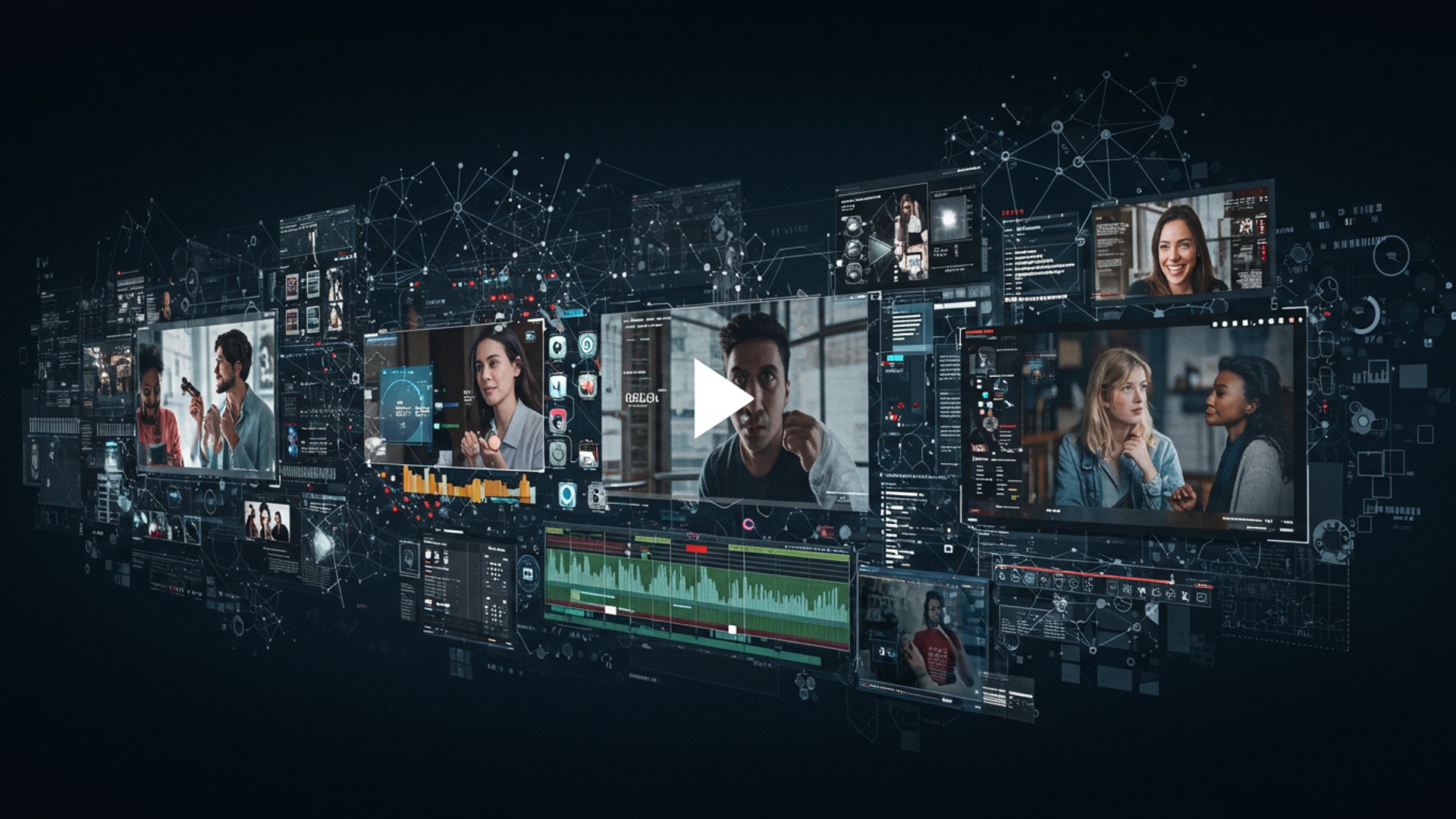
The Video Content Revolution and the AI Advantage
The digital landscape is undeniably dominated by video. From social media feeds to educational platforms and corporate communications, video content captures attention, conveys messages effectively. builds stronger connections than almost any other medium. But, for many, the journey from an idea to a polished, engaging video can seem daunting. Traditional video production demands a significant investment of time, resources. specialized skills – think scriptwriting, filming, editing, voiceovers. graphic design. This often creates a barrier, preventing individuals and businesses from fully leveraging the power of video. This is where the transformative potential of artificial intelligence steps in. Imagine being able to transform a simple text outline or an existing article into a dynamic video with professional voiceovers, relevant visuals. smooth transitions, all in a fraction of the time and cost. This is the promise of AI video creation. It’s not about replacing human creativity. rather empowering creators of all skill levels to produce high-quality, impactful videos with unprecedented ease and efficiency, democratizing access to powerful video storytelling.
What is AI Video Creation? Demystifying the Technology
At its core, AI video creation refers to the use of artificial intelligence and machine learning algorithms to automate and streamline various stages of the video production process. Instead of manually performing tasks like selecting footage, recording voiceovers, or editing scenes, AI tools handle these complexities, often based on text input or simple commands. To grasp how this magic happens, let’s break down some of the key AI technologies at play:
- Natural Language Processing (NLP): This AI branch allows computers to grasp, interpret. generate human language. In ai video creation, NLP is crucial for analyzing your script, understanding its context, identifying key themes. even generating video scripts from bullet points or ideas. It also powers text-to-speech engines that create natural-sounding voiceovers.
- Computer Vision: This field enables computers to “see” and interpret visual insights from images and videos. For AI video creation, computer vision helps identify objects, scenes. emotions within vast libraries of stock footage. It can automatically select visuals that match your script, recognize faces for avatar animation. even suggest optimal cuts and transitions based on visual flow.
-
Machine Learning (ML): ML is the engine that allows AI systems to learn from data without explicit programming. Through extensive training on countless videos, scripts. audio clips, ML algorithms in ai video creation tools learn to:
- Associate specific keywords with relevant visual content.
- interpret the nuances of human speech to generate more expressive voiceovers.
- Predict optimal editing points for maximum impact.
- Personalize video elements based on user preferences or audience data.
These technologies work in concert, creating a sophisticated pipeline that transforms raw input into polished video output, significantly reducing the manual effort involved.
Key Features and Capabilities of AI Video Creation Tools
The landscape of AI video creation tools is rapidly evolving. several core features are common across many platforms, making them incredibly versatile:
- Text-to-Video Generation: This is perhaps the most celebrated feature. Users can input a script, a blog post, or even just a few bullet points. the AI will generate a complete video, including visuals, voiceover. music. Some advanced tools can even generate video from a simple text prompt describing the desired scene.
- AI Avatars and Presenters: Forget hiring actors or setting up a studio. Many tools offer AI-generated virtual presenters that can animate and speak your script. These avatars come in various styles and can be customized to match your brand, offering a consistent and professional on-screen presence.
- Stock Media Integration and Smart Selection: AI tools often have access to vast libraries of royalty-free stock footage, images. music. The AI intelligently analyzes your script and automatically suggests or selects the most relevant visual and audio elements, ensuring your video is visually rich and contextually appropriate.
- Voice Synthesis (Text-to-Speech – TTS): Gone are the days of robotic-sounding voiceovers. Modern AI TTS engines produce highly natural, human-like voices in a multitude of languages and accents. You can often choose from various voice profiles to match the tone and style of your content.
- Automated Editing and Scene Assembly: The AI handles the heavy lifting of editing. It can automatically segment your script into scenes, apply appropriate transitions, synchronize visuals with the voiceover. even add background music, ensuring a smooth and professional flow.
- Multilingual Support and Localization: For global reach, many AI video creation platforms offer instant translation and voiceover generation in multiple languages, making it effortless to localize your content for diverse audiences.
- Customization Options: While automation is key, AI tools also provide extensive customization. Users can often adjust fonts, colors, branding elements, background music, avatar appearance. even specific video clips to maintain brand consistency and creative control.
A Look Under the Hood: How AI Video Creation Works in Practice
Let’s walk through a typical workflow of how an AI video creation tool transforms an idea into a video. Imagine you’re a marketer wanting to create a short explainer video for a new product feature.
-
Inputting Your Content: You start by providing your content. This could be a written script, a blog post, a simple text prompt, or even just a few key points.
"Script: 'Introducing EcoCharge: Our new solar-powered portable charger. Never run out of battery again! Lightweight, durable. environmentally friendly. Get yours today!'" - AI Analysis and Scene Segmentation: The AI’s NLP capabilities kick in. It reads your script, understands the context, identifies keywords (e. g. , “EcoCharge,” “solar-powered,” “portable charger,” “environmentally friendly”). breaks the script into logical scenes or segments.
- Visual and Media Selection: Based on its understanding, the AI’s computer vision and machine learning algorithms search through its extensive media library. It will suggest or automatically select relevant video clips or images for each scene. For “solar-powered,” it might suggest clips of solar panels or sunlight; for “portable charger,” a person using a device; for “environmentally friendly,” nature scenes.
- Voiceover Generation: Using its text-to-speech engine, the AI generates a natural-sounding voiceover for your script. You might be able to choose from a range of male or female voices, different accents. even adjust the speaking pace or tone.
- Video Assembly and Synchronization: The AI then assembles all these components. It synchronizes the selected visuals with the generated voiceover, adds appropriate transitions between scenes. integrates background music, ensuring everything flows together seamlessly.
-
Review and Refine: Once the initial video is generated, you get to review it. Most tools offer an editing interface where you can:
- Swap out visuals if you prefer a different clip.
- Adjust the timing of scenes.
- Change the voiceover style or speed.
- Add text overlays, branding, or specific call-to-action elements.
- Tweak background music or add sound effects.
This iterative process allows you to maintain creative control while the AI handles the laborious technical aspects, significantly speeding up the ai video creation process.
Comparing Popular AI Video Creation Tools
While specific tools vary in features and pricing, understanding their general categories and common differentiators can help you choose the right one. Here’s a hypothetical comparison table showcasing types of tools you might encounter:
| Feature/Tool Type | Script-to-Video Generator (e. g. , “VidGenius AI”) | Avatar-Based Presenter (e. g. , “PersonaCreate”) | Advanced AI Editor (e. g. , “EditFlow AI”) |
|---|---|---|---|
| Primary Function | Transforms text/scripts into complete videos with stock footage & voiceover. | Creates videos with realistic AI presenters speaking your script. | Enhances existing video footage with AI editing, effects. smart cuts. |
| Ease of Use | Very High (minimal manual input required). | High (focus on script and avatar customization). | Medium (requires some understanding of video editing concepts). |
| Target Audience | Marketers, bloggers, educators, small businesses needing quick content. | Corporate trainers, educators, social media influencers, internal communications. | Professional editors, content creators, agencies seeking efficiency. |
| Customization Level | Moderate (choice of templates, music, some visual swaps). | High (avatar appearance, clothing, gestures, voice, background). | Very High (fine-grained control over cuts, effects, color grading). |
| Pricing Model (Typical) | Subscription-based, tiered by video length/exports. | Subscription-based, often by avatar type/minute usage. | Subscription-based, potentially per project or advanced feature access. |
| Best For | Quick explainers, social media ads, blog-to-video conversions. | Training videos, consistent brand messaging, direct address. | Polishing raw footage, adding dynamic effects, smart re-edits. |
It’s crucial to research current offerings, as the market is dynamic. Many tools also combine features from these different categories, offering a more comprehensive ai video creation experience.
Real-World Applications: Who Benefits from AI Video Creation?
The versatility of ai video creation means it can be applied across a vast array of industries and personal projects. Here are some real-world use cases:
-
Businesses and Marketers:
- Explainer Videos: Rapidly create engaging videos to introduce new products, services, or complex concepts.
- Social Media Ads: Produce a high volume of varied ad creatives for A/B testing, keeping content fresh and relevant.
-
Product Demos: Showcase product features with clear, concise videos without needing a full production crew.
Case Study: A small e-commerce startup, “CraftyGoods,” struggled with video ads due to budget constraints. By leveraging an AI video creation tool, their marketing team could turn product descriptions and images into compelling 30-second video ads in hours, not days. This led to a 40% increase in ad engagement and a noticeable boost in sales within the first quarter, proving that professional-looking video marketing was no longer exclusive to big brands. - Training & Onboarding: Develop engaging internal training modules or onboarding videos for new employees quickly.
-
Educators and Trainers:
- E-learning Modules: Convert lecture notes or textbook chapters into dynamic video lessons.
- Lesson Summaries: Create quick video recaps of complex topics to aid student comprehension.
- Language Learning: Generate videos with AI avatars speaking different languages for immersive learning.
-
Content Creators and Bloggers:
- Repurposing Content: Transform blog posts, articles, or podcasts into engaging video summaries for YouTube or social media.
- Video Intros/Outros: Quickly generate professional intros and outros for consistent branding across video series.
- Social Media Snippets: Produce short, captivating videos for TikTok, Instagram Reels, or Facebook Stories from longer content.
-
HR and Internal Communications:
- Company Announcements: Disseminate vital company updates or policy changes through engaging video messages.
- Employee Testimonials: Create stylized videos from written employee feedback.
-
Individuals and Non-Profits:
- Personal Projects: Create videos for family events, travel vlogs, or personal portfolios.
- Fundraising Campaigns: Produce impactful videos to convey their mission and appeal for donations.
Actionable Strategies for Maximizing Engagement with AI Videos
While AI automates much of the process, human input remains crucial for creating truly engaging content. Here are actionable tips to get the most out of your ai video creation tools:
- Start with a Strong, Clear Script: The AI is a powerful engine. your script is the fuel. A well-written, concise. compelling script is paramount. Focus on a clear message, a logical flow. a strong call to action. Even if you’re using text-to-video from a blog post, take time to refine the video-specific script.
- Choose the Right AI Avatar and Voice: If your tool offers avatars, select one that resonates with your brand identity and target audience. Experiment with different voice profiles (gender, accent, tone) to find the one that best conveys your message’s emotion and professionalism. A mismatch here can detract from your video’s impact.
- Leverage Customization, Don’t Just Default: While the AI provides a great starting point, always take time to customize. Swap out generic stock footage for more specific or branded visuals where possible. Adjust colors, fonts. music to align with your brand guidelines. Personalization is key to standing out.
- Keep it Concise and Paced Well: Attention spans online are notoriously short. Aim for brevity. Use the AI’s editing features to ensure a brisk pace, with visuals changing regularly and data delivered efficiently. A video that’s too long or slow will lose viewers quickly.
- Include a Clear Call to Action (CTA): What do you want your viewers to do after watching? Whether it’s “Visit our website,” “Subscribe to our channel,” or “Learn more,” make your CTA prominent and easy to grasp. AI tools often have features to easily add text overlays or end screens for CTAs.
- Test, assess. Iterate: Don’t assume your first AI-generated video is perfect. Create a couple of variations (e. g. , different visuals, voiceovers, or CTAs) and A/B test them if possible. examine engagement metrics (views, watch time, click-through rates) and use those insights to refine your future ai video creation efforts.
The Future of Video: Ethical Considerations and Emerging Trends in AI Video Creation
The rapid advancement of AI video creation brings with it exciting possibilities but also essential ethical considerations and emerging trends to watch. Ethical Considerations:
- Deepfakes and Authenticity: As AI becomes more adept at generating realistic human likenesses and voices, the potential for creating “deepfakes” (highly convincing but fabricated videos) becomes a significant concern. This raises questions about misinformation, consent. the erosion of trust in visual media. Responsible AI development and clear labeling of AI-generated content will be crucial.
- Job Displacement vs. Augmentation: While AI automates tasks, it’s more likely to augment human roles than completely replace them. Editors and animators might shift from manual keyframing to guiding AI systems, focusing more on creative direction and strategic oversight. The demand for prompt engineers and AI content strategists is also growing.
- Bias in AI: AI models are trained on vast datasets. if these datasets contain inherent biases (e. g. , lack of diversity in facial recognition or voice samples), the AI’s output can perpetuate or amplify those biases. Developers are actively working to create more inclusive and unbiased AI models.
Emerging Trends:
- Hyper-Personalization: Imagine videos that dynamically adjust their content, visuals, or language based on the individual viewer’s preferences, location, or past interactions. This level of personalization, driven by AI, promises incredibly engaging and relevant content experiences.
- Generative AI for Unique Visual Styles: Beyond selecting stock footage, next-gen ai video creation will increasingly generate entirely new, unique visual styles and animations from scratch based on text prompts, moving beyond the constraints of existing media libraries. This opens up unprecedented creative possibilities.
- Interactive AI Videos: AI could enable videos that respond to viewer commands, choices, or emotional reactions, creating truly interactive storytelling and learning experiences.
- Seamless Integration with Other AI Tools: We’ll see tighter integration between AI video tools and other AI-powered content creation platforms (e. g. , AI writing assistants, AI image generators), creating a unified ecosystem for effortless multimedia production.
The future of video content creation is undoubtedly intertwined with AI. By understanding its capabilities, applying strategic thinking. staying aware of its evolving landscape, creators can harness ai video creation to produce compelling and impactful stories with remarkable ease.
Conclusion
The era of complex, time-consuming video production is rapidly becoming a relic of the past, thanks to the remarkable advancements in AI tools. Gone are the days when crafting an engaging video required a dedicated team and extensive technical skills; now, you can effortlessly transform your ideas into compelling visual stories. Start by leveraging intuitive platforms like Pictory or Synthesys AI to convert your scripts into rich video narratives, or even experiment with advanced text-to-video generators such as Google Veo for rapid concept prototyping. My own journey has shown me how quickly you can iterate on video ideas that once took days, allowing for unprecedented creative agility. Indeed, the true power lies not in finding the ‘perfect’ tool. in embracing rapid prototyping and consistent iteration. I’ve personally found that even combining a simple AI voiceover with relevant stock footage allows me to launch new marketing campaigns in hours, not weeks, freeing up mental bandwidth for strategic thinking. So, embrace this accessible revolution with confidence. Your unique vision, amplified by these powerful AI tools, is what will truly captivate your audience. Begin creating, sharing. refining your message today; the future of effortless, engaging video production is literally at your fingertips.
More Articles
Master Google Veo 3 Prompts for Incredible Video Results
Turn Your Ideas into Stunning Videos Instantly with Grok AI
The Ultimate Guide to AI Prompt Engineering for Everyone
Discover Gemini Image Creation Craft Beautiful AI Art Effortlessly
Master Advanced Prompt Engineering Unlock Powerful AI Results 
FAQs
What kind of videos can I make using AI tools?
You can create a wide variety of videos, from short social media clips and marketing ads to explainer videos, product demonstrations, training content. even personalized messages. AI tools are super versatile for almost any video need.
Is it really ‘effortless’ or do I need to be a video editing expert?
Not at all! The whole point of these AI tools is to make video creation accessible to everyone. They automate complex tasks like scriptwriting, voiceovers. visual selection, meaning you don’t need any prior editing experience or technical skills. If you can type, you can make a video.
How exactly does AI help me make videos more engaging?
AI can review your content and suggest optimal pacing, visual elements. background music to keep viewers hooked. It can automatically generate dynamic captions, create eye-catching intros/outros. even help with storytelling structure, all designed to increase audience engagement.
Can I use my own footage with AI video tools, or do I have to use stock media?
Absolutely, you can upload your existing footage! Many AI tools allow you to integrate your own video clips and images. AI can then assist with enhancements like automatic editing, color correction, adding subtitles, or even generating voiceovers to complement your visuals.
What’s the biggest benefit of switching to AI for video creation?
The biggest benefit is undoubtedly the massive time and resource savings. AI automates countless manual tasks, allowing you to produce high-quality, professional-looking videos in a fraction of the time it would take with traditional methods. often at a much lower cost.
Do these AI video tools offer different voices for narration. do they sound natural?
Yes, most AI video tools provide a wide selection of text-to-speech voices in various languages and accents. The technology has advanced significantly, so these AI voices often sound remarkably natural, complete with appropriate inflections and tones, making your narration much more pleasant to listen to.
Are AI-generated videos customizable enough to match my brand’s style?
Definitely! While AI automates much of the process, you usually retain significant control over customization. You can often choose fonts, colors, add your brand’s logo, select specific visual styles. guide the AI’s content suggestions to ensure the final video perfectly aligns with your brand’s identity and messaging.