
The landscape of digital art has profoundly shifted, with generative AI models like DALL-E 3 and Midjourney V6 democratizing visual creation. No longer confined to traditional artistic skills, anyone can now harness sophisticated algorithms for breathtaking ai image creation, transforming abstract concepts into photorealistic scenes or stylized illustrations. This technological leap enables artists and enthusiasts alike to explore hyper-realistic textures, intricate lighting. complex compositions with simple text prompts, pushing creative boundaries beyond manual rendering limitations. Understanding the nuances of prompt engineering and model capabilities empowers users to achieve unparalleled visual fidelity, turning imaginative visions into tangible digital masterpieces. 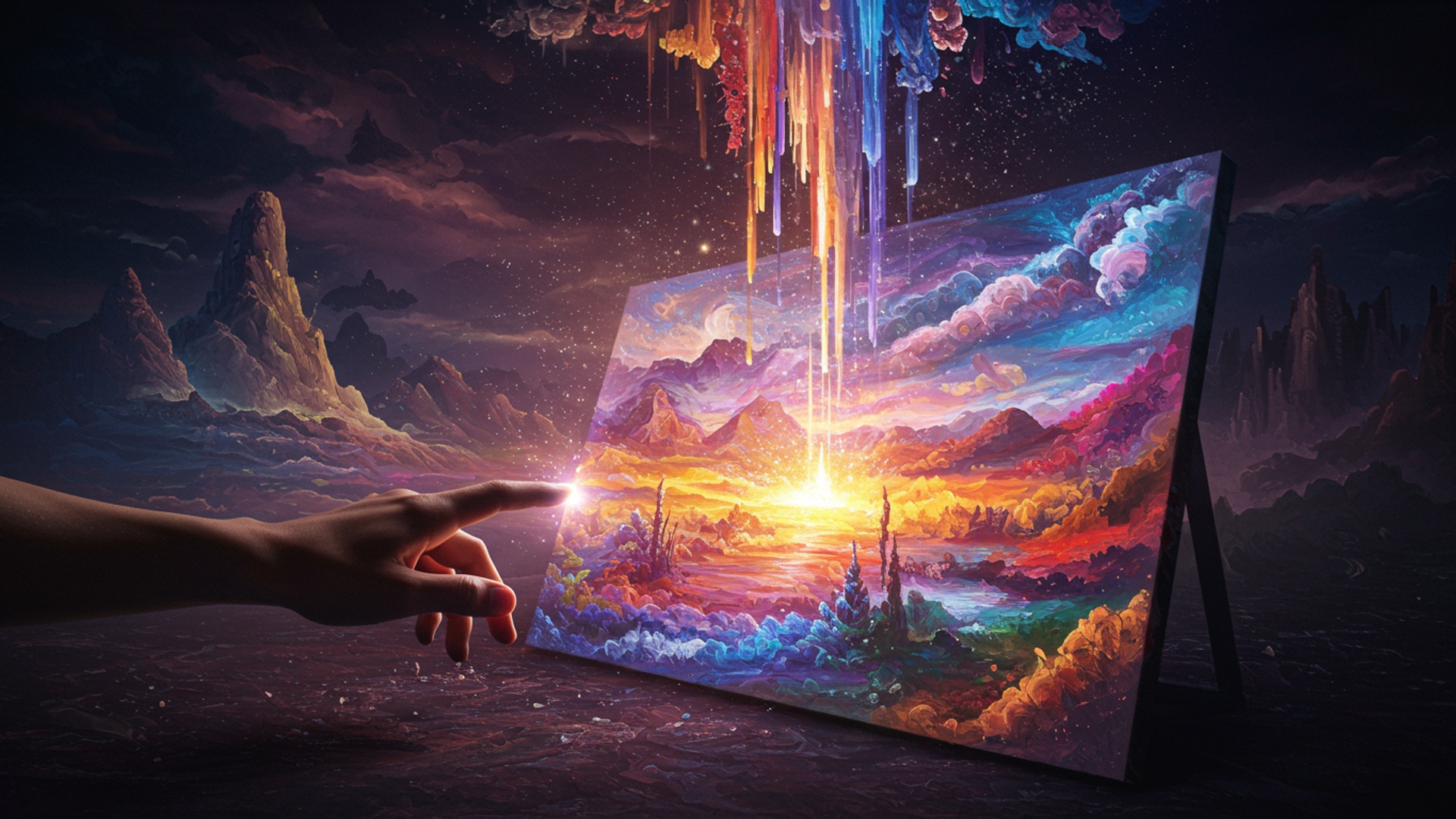
The Dawn of Digital Creativity: What is AI Image Creation?
In an era where technology constantly reshapes our world, a new frontier has opened up for artists, designers. anyone with a creative spark: Artificial Intelligence (AI) image creation. This revolutionary technology empowers individuals to generate stunning, unique visuals from simple text descriptions or existing images, effectively lowering the barrier to entry for artistic expression. No longer do you need years of training in traditional art mediums or expensive software expertise to manifest your visual ideas.
At its core, AI image creation refers to the process of using artificial intelligence algorithms to produce visual content. Think of it as having an incredibly talented, infinitely patient. lightning-fast digital assistant that can interpret your wildest ideas and bring them to life on a digital canvas. This isn’t just about applying filters or basic edits; it’s about generating entirely new, original images that often possess a level of detail, complexity. artistic flair that would be incredibly time-consuming or even impossible for a human to create from scratch.
The journey of AI image creation began with simpler algorithms. it truly blossomed with the advent of sophisticated deep learning models. These models, trained on vast datasets of images and their corresponding descriptions, learn the intricate relationships between concepts, styles. visual elements. When you provide a prompt, the AI taps into this learned knowledge, synthesizing new pixels to construct an image that aligns with your instructions. It’s a testament to how far AI has come, transforming abstract thoughts into tangible visual realities and democratizing the act of design.
Behind the Scenes: The Technologies Powering AI Art
Understanding the magic behind ai image creation requires a peek into the sophisticated algorithms that make it possible. While the field is rapidly evolving, a few core technologies stand out as the pillars of modern AI art generation.
- Generative Adversarial Networks (GANs)
- Diffusion Models
- Transformer Models (like CLIP)
Pioneered by Ian Goodfellow and his colleagues in 2014, GANs introduced a fascinating “adversarial” training process. A GAN consists of two neural networks: a Generator and a Discriminator. The Generator tries to create realistic images, while the Discriminator tries to distinguish between real images (from its training data) and fake images (created by the Generator). Through this continuous competition, both networks improve, with the Generator eventually becoming adept at producing incredibly convincing, novel images.
More recently, Diffusion Models have taken center stage, particularly with their ability to produce highly detailed and coherent images. Unlike GANs, which generate images in one go, Diffusion Models work by gradually “denoising” an image. They start with pure noise and progressively refine it over many steps, guided by a text prompt, until a clear image emerges. Imagine starting with a blurry, static image and slowly bringing it into focus with precise instructions – that’s the essence of diffusion. This iterative process allows for a higher degree of control and often results in superior image quality and diversity.
While GANs and Diffusion Models handle the image generation, another crucial component often helps the AI comprehend your text prompts. Models like OpenAI’s CLIP (Contrastive Language–Image Pre-training) are trained to grasp the relationship between text and images. They can effectively “score” how well a given text description matches an image. This capability is vital for AI image creation systems, as it allows them to interpret complex prompts and guide the image generation process towards visually representing the specified concepts and styles.
Here’s a simplified comparison of GANs and Diffusion Models:
| Feature | Generative Adversarial Networks (GANs) | Diffusion Models |
|---|---|---|
| Core Mechanism | Adversarial training (Generator vs. Discriminator) | Iterative denoising from noise to image |
| Image Quality | Can produce high quality. sometimes struggle with coherence or mode collapse (generating limited diversity). | Generally superior image quality, detail. diversity; excellent for realism and complex compositions. |
| Training Stability | Can be challenging to train, often requiring careful tuning. | More stable training processes, less prone to mode collapse. |
| Control & Flexibility | Less direct control over specific image attributes during generation. | High degree of control, especially with techniques like ControlNet, allowing precise manipulation of image structure, pose, etc. |
| Computational Cost | Can be resource-intensive during training. | Often more computationally intensive during inference (generation) due to iterative steps. advancements are reducing this. |
From Blank Canvas to Masterpiece: The AI Image Creation Workflow
The journey of creating a breathtaking image with AI is often an iterative and exciting process. It typically involves several key stages, each offering opportunities to refine your vision.
Prompt Engineering: The Art of Conversation
This is arguably the most crucial step in ai image creation. Prompt engineering is the skill of crafting effective text descriptions (prompts) that guide the AI to generate the desired image. Think of it as speaking the AI’s language. A vague prompt will yield vague results, while a detailed, well-structured prompt can unlock incredible visuals.
- Be Descriptive
Go beyond simple nouns. Describe the subject, its actions, the environment, lighting, colors, mood. even camera angles.
Bad Prompt: "Dog"
Good Prompt: "A fluffy golden retriever puppy, playing in a sun-drenched meadow, whimsical, bokeh background, cinematic lighting, ultra-detailed, volumetric fog"
Want a specific aesthetic? Incorporate art styles (e. g. , “watercolor,” “cyberpunk,” “Baroque painting”) or even the names of famous artists (e. g. , “in the style of Van Gogh,” “by Hayao Miyazaki”).
Words like “ultra-realistic,” “photorealistic,” “epic,” “dreamlike,” “vibrant,” “monochromatic” can drastically alter the output.
Many platforms allow you to specify what you don’t want to see. This is incredibly powerful for removing unwanted elements or improving quality.
Negative Prompt Example: "ugly, deformed, blurry, low quality, duplicate, poorly drawn, extra limbs"
The best way to learn prompt engineering is to try different combinations and observe the results. Keep a log of prompts that work well.
Model Selection: Choosing Your Artistic Partner
Different AI models excel at different types of ai image creation. Some are better for photorealism, others for abstract art. some offer more direct control. Your choice of platform (e. g. , Midjourney, DALL-E, Stable Diffusion) implicitly determines the underlying model, each with its unique strengths and quirks.
Iterative Refinement: Sculpting Your Vision
Rarely does the first generated image perfectly match your vision. This is where iteration comes in.
- Generate Variations
- Utilize Seeds
- Inpainting and Outpainting
Most tools allow you to generate multiple images from a single prompt or create variations of an existing output.
A “seed” is a numerical value that initializes the random process of image generation. Using the same seed with the same prompt will often yield similar results, allowing for controlled experimentation.
Advanced techniques like inpainting allow you to select a specific area of an image and regenerate only that part with a new prompt. Outpainting expands the canvas beyond the original image, generating new content that seamlessly blends with the existing one.
Post-processing: The Final Polish
While AI can generate incredible base images, traditional image editing software (like Adobe Photoshop or GIMP) still plays a vital role. You might want to:
- Adjust colors, contrast. brightness.
- Crop or resize the image for specific uses.
- Add text or graphic overlays.
- Perform minor touch-ups or composites.
Tools of the Trade: Popular AI Image Creation Platforms
The landscape of ai image creation tools is rich and diverse, with platforms catering to different needs, skill levels. artistic goals. Here’s a look at some of the most popular contenders:
- Midjourney
- DALL-E 3 (and previous versions)
- Stable Diffusion
- Adobe Firefly
Renowned for its unparalleled aesthetic quality and artistic flair, Midjourney excels at generating stunning, often fantastical. painterly images. It operates primarily through Discord, making it accessible but requiring users to learn its specific commands and parameters. It’s a favorite among concept artists and those seeking truly breathtaking, imaginative visuals.
Developed by OpenAI, DALL-E has evolved significantly, with DALL-E 3 now integrated directly into ChatGPT and Microsoft Copilot. Its strength lies in its exceptional understanding of complex, nuanced prompts, allowing users to describe intricate scenes and have the AI interpret them with remarkable accuracy. It’s excellent for detailed illustrations and visualizing specific scenarios.
This open-source model has democratized ai image creation. It can be run locally on powerful consumer-grade hardware, offering immense flexibility and control. Stable Diffusion is highly customizable, with a vast ecosystem of custom models, extensions. community-contributed tools. It’s a powerhouse for those who want deep control, privacy. the ability to fine-tune models for specific styles or subjects.
Adobe’s entry into the generative AI space is designed to integrate seamlessly with its existing Creative Cloud applications (like Photoshop and Illustrator). Firefly focuses on commercial viability and ethical sourcing, with training data primarily from Adobe Stock, publicly licensed content. public domain content. It’s a strong choice for professional designers and businesses concerned with copyright and brand safety.
Here’s a comparison to help you choose the right tool for your ai image creation needs:
| Feature | Midjourney | DALL-E 3 | Stable Diffusion | Adobe Firefly |
|---|---|---|---|---|
| Primary Interface | Discord Bot | ChatGPT, Copilot, Web App | Local (various UIs like Automatic1111), Web Apps | Web App, Adobe Creative Cloud Integration |
| Aesthetic Focus | Highly artistic, fantastical, painterly, often cinematic | Excellent prompt understanding, diverse styles, coherent scenes | Highly versatile, from photorealism to abstract, open-ended | Commercial-friendly, diverse styles, focuses on creative assets |
| Ease of Use | Moderate (Discord commands) | Very High (natural language prompts) | Variable (easy with web apps, complex with local setup) | High (intuitive web interface, familiar Adobe environment) |
| Cost Model | Subscription-based (free tier often limited) | Included with ChatGPT Plus/Pro, or credits for standalone web app | Free (if run locally), subscription for web services | Free (beta), likely integrated with Creative Cloud subscriptions |
| Control & Customization | Moderate (parameters, stylize values) | Good (complex prompts, inpainting) | Very High (fine-tuning, ControlNet, extensions, custom models) | Good (text effects, generative fill within Adobe apps) |
| Commercial Use | Permitted with paid subscription (check specific terms) | Permitted (check specific terms) | Permitted (open-source. check specific model licenses) | Designed for commercial use, focus on “safe for commercial use” assets |
Unlocking Your Artistic Vision: Real-World Applications of AI-Generated Images
The impact of ai image creation extends far beyond just creating pretty pictures. It’s a powerful tool revolutionizing various industries and enabling new forms of personal expression. The actionable takeaways here are immense, offering new avenues for productivity and creativity.
- Graphic Design & Marketing
- Concept Art & Game Development
- Fashion Design
- Product Design
- Personal Expression & Hobbies
- Education
Imagine a small business owner who needs eye-catching visuals for social media campaigns, website banners, or email newsletters. lacks a design budget. With AI, they can generate a diverse range of ad creatives in minutes. For instance, a local bakery could prompt for “a rustic, cozy coffee shop interior with warm lighting and a fresh croissant on a wooden table, photorealistic, depth of field.” This dramatically speeds up content creation, allowing for more dynamic and personalized marketing efforts without the need for expensive stock photos or hiring a full-time designer. I’ve personally seen entrepreneurs use AI to prototype dozens of ad variations in an afternoon, testing different visual concepts to see what resonates best with their audience.
In the fast-paced world of game development and film, conceptualizing new characters, environments. props is crucial. AI allows artists to rapidly generate mood boards, explore countless design iterations. visualize complex scenes in mere seconds. A game designer could prompt for “a futuristic cyberpunk city skyline at sunset, with neon glow and flying cars, intricate details,” instantly getting dozens of unique ideas to build upon, significantly accelerating the pre-production phase.
AI can be a muse for fashion designers, generating novel patterns, fabric textures, or even entirely new garment silhouettes. A designer might prompt for “a flowing silk dress with a bioluminescent floral pattern, inspired by deep-sea creatures,” to explore unique aesthetic directions before moving to physical prototyping.
Visualizing new products or variations of existing ones is streamlined with AI. Industrial designers can generate realistic mock-ups of different color schemes, material textures, or form factors for a new gadget, helping them present ideas to stakeholders more effectively.
For the everyday enthusiast, ai image creation opens up endless possibilities. You can create unique desktop wallpapers, illustrate stories for children, design custom greeting cards, or even generate abstract art for personal enjoyment. I’ve used it to create personalized artwork for friends’ birthdays, turning their favorite memories or inside jokes into unique visual pieces that would have been impossible for me to draw myself. It’s truly about unleashing the inner artist in everyone, regardless of traditional artistic skill.
Educators can utilize AI to create engaging visual aids for lessons, illustrating complex scientific concepts or historical events with custom-generated images. A history teacher could generate “a bustling marketplace in ancient Rome, highly detailed, realistic,” to immerse students in the era.
Navigating the Ethical Canvas: Responsible AI Image Creation
As with any powerful technology, ai image creation comes with a set of ethical considerations that users and developers must navigate responsibly. Understanding these challenges is key to fostering a healthy and beneficial creative ecosystem.
- Copyright and Ownership
- Bias and Representation
- Deepfakes and Misinformation
- Ethical Prompting
- Environmental Impact
One of the most debated topics is who owns the copyright to AI-generated art. The legal landscape is still evolving globally. In many jurisdictions, copyright typically applies to works created by human authors. AI models, having “learned” from vast datasets of existing human-created art, raise questions about originality and derivative works. Some platforms claim ownership of generated images, while others grant full commercial rights to the user, particularly with paid subscriptions. It’s crucial for users, especially those intending commercial use, to review the specific terms of service for each AI tool they use. Legal scholars and institutions like the U. S. Copyright Office are actively studying and updating guidelines to address these new forms of creation.
AI models are trained on massive datasets. if those datasets contain biases (e. g. , underrepresentation of certain demographics, perpetuation of stereotypes), the AI will learn and amplify those biases in its outputs. This can lead to images that reinforce harmful stereotypes or fail to accurately represent the diversity of the human population. Responsible AI image creation requires awareness of these biases and a commitment from developers to curate more balanced and inclusive training data. from users to critically evaluate outputs.
The ability of AI to generate highly realistic images and videos (often called “deepfakes”) presents a serious concern regarding misinformation and disinformation. Malicious actors could use AI to create convincing fake images or videos of individuals saying or doing things they never did. This poses risks to individual privacy, reputation. public trust. It’s an actionable takeaway for everyone to cultivate media literacy and critically assess the authenticity of visual content encountered online.
Users have a responsibility to use AI image creation tools ethically. This includes refraining from generating harmful, hateful, discriminatory, or non-consensual content. Most reputable AI platforms have strict content moderation policies and terms of service to prevent misuse. individual user discretion remains paramount.
Training and running large AI models consume significant computational resources and energy, contributing to carbon emissions. While individual image generation is less impactful, the cumulative effect of widespread use and continuous model development is a consideration for long-term sustainability.
Beyond the Prompt: Advanced Techniques and the Future of AI Art
While basic prompt engineering can get you far, mastering ai image creation involves exploring more advanced techniques that offer greater control and unlock even more creative possibilities. The field is constantly evolving, hinting at an exciting future for digital artistry.
- Image-to-Image Generation
- ControlNet
This technique uses an existing image as a starting point, transforming it based on a new text prompt or style. Instead of starting from scratch, you can provide a sketch, a photo, or even a simple shape. the AI will reinterpret it according to your instructions. This is incredibly useful for stylizing photos, converting sketches into detailed artworks, or exploring variations on an existing visual theme.
A groundbreaking advancement, ControlNet allows for highly precise control over the structural aspects of an AI-generated image. You can provide a “control map” (e. g. , a stick figure drawing, a depth map, an edge detection map) and the AI will generate an image that adheres to that specific structure, while still following your text prompt for style and content. This is a game-changer for artists who need to maintain specific poses, compositions, or architectural layouts.
Example Use: Provide a simple line drawing of a character's pose. prompt "a knight in shining armor, fantasy art, volumetric lighting" – the AI will generate a knight in that exact pose.
These techniques offer powerful editing capabilities.
- Inpainting
- Outpainting
Allows you to select a specific area of an image and regenerate only that part with a new prompt, seamlessly integrating the new content. This is perfect for fixing mistakes, adding new elements, or altering details within an existing image.
Expands the canvas beyond the original image, intelligently generating new content that matches the style and context of the existing image. This is ideal for extending landscapes, creating panoramas, or giving your subject more breathing room.
For users with more technical expertise, it’s possible to “fine-tune” existing AI models on smaller, specialized datasets. This allows the AI to learn specific art styles, character appearances, or object types with incredible accuracy. For example, an artist could fine-tune a model on their own portfolio to generate images consistently in their unique style, acting as a powerful digital extension of their artistic hand.
The Future of AI Art: A Collaborative Canvas
The trajectory of ai image creation points towards an even more integrated and collaborative future. We can expect:
- More Intuitive Interfaces
- Hyper-Personalization
- Real-time Generation & Animation
- New Artistic Movements
AI tools will become even easier to use, potentially integrating voice commands, gesture controls. more intelligent prompt suggestions.
AI models will become better at understanding individual user preferences, generating art that resonates deeply with personal tastes and creative histories.
The speed of image generation will continue to improve, potentially leading to real-time interactive art creation and seamless AI-assisted animation.
AI is not just a tool; it’s a medium that will undoubtedly inspire entirely new artistic movements and forms of expression that we can only begin to imagine.
Ultimately, AI is not here to replace the artist but to augment human creativity. It’s a powerful partner that can help us explore ideas faster, overcome creative blocks. bring previously impossible visions to life. The future of art is a collaborative canvas, painted by the ingenuity of humans and the boundless capabilities of AI.
Conclusion
AI isn’t replacing the artist; it’s an unparalleled co-creator, amplifying your vision. Your journey to designing truly breathtaking images with AI hinges on continuous experimentation. Don’t just settle for the initial output; iterate, refine. explore. Try techniques like in-painting to meticulously add details or out-painting to expand your composition, giving life to unseen worlds beyond the original frame. The real artistry unfolds when you master prompt engineering, understanding how nuanced phrasing—like specifying “cinematic lighting, volumetric fog” or “hyper-detailed, macro photography textures”—transforms your concepts. This empowers you to actualize intricate ideas, previously daunting without extensive traditional skills, into vivid realities. My personal tip: push beyond obvious keywords. Blend unexpected artistic movements or cultural references; often, the most unique and stunning visuals emerge from these creative juxtapositions. Embrace this powerful, evolving tool; your artistic potential is now truly limitless.
More Articles
Write Perfect Prompts Master AI Prompt Engineering for Better Results
OpenAI Sora Explained Your Essential Guide to Video Generation
Master The Core Skills That Make You Indispensable to AI 
FAQs
What exactly is ‘Unleash Your Inner Artist’ all about?
It’s an exciting program designed to help anyone, regardless of their artistic background, create stunning visuals using powerful artificial intelligence tools. Think of it as your creative partner for bringing ideas to life.
Do I need to have prior art skills or design experience to use this?
Absolutely not! That’s the beauty of it. Our AI tools are built to be intuitive and user-friendly, guiding you through the process. You bring the ideas. the AI helps bring them to life with ease.
What kind of breathtaking images can I actually generate with this AI?
The possibilities are nearly endless! You can create everything from realistic landscapes and abstract art to character designs, concept art, digital paintings. even unique graphic elements for various projects. If you can imagine it, the AI can help you visualize it.
How does the AI actually help me design these images?
You interact with the AI by providing text prompts, keywords, or even by starting with an existing image. The AI then uses its advanced algorithms to interpret your input and generate unique, high-quality visuals based on your direction. It’s like having a super-fast, endlessly creative assistant.
Is it difficult to learn how to use these tools?
Not at all! We’ve focused on making the interface as straightforward as possible. Plus, there are usually guides and tutorials available to help you quickly get the hang of turning your concepts into beautiful images.
Can I really express my unique artistic vision using AI, or will everything look the same?
Definitely! While the AI does the heavy lifting, you’re the director. You guide its creations, refine its outputs. inject your personal style and ideas into every piece. It’s a powerful tool to amplify your creativity, not replace it, ensuring unique results.
What if I’m not sure where to start or feel uninspired?
Don’t worry! Many AI art platforms offer inspiration galleries, prompt suggestions. community features to spark new ideas. Experimentation is key. you’ll often find inspiration just by playing around with different inputs and seeing what the AI can create.