
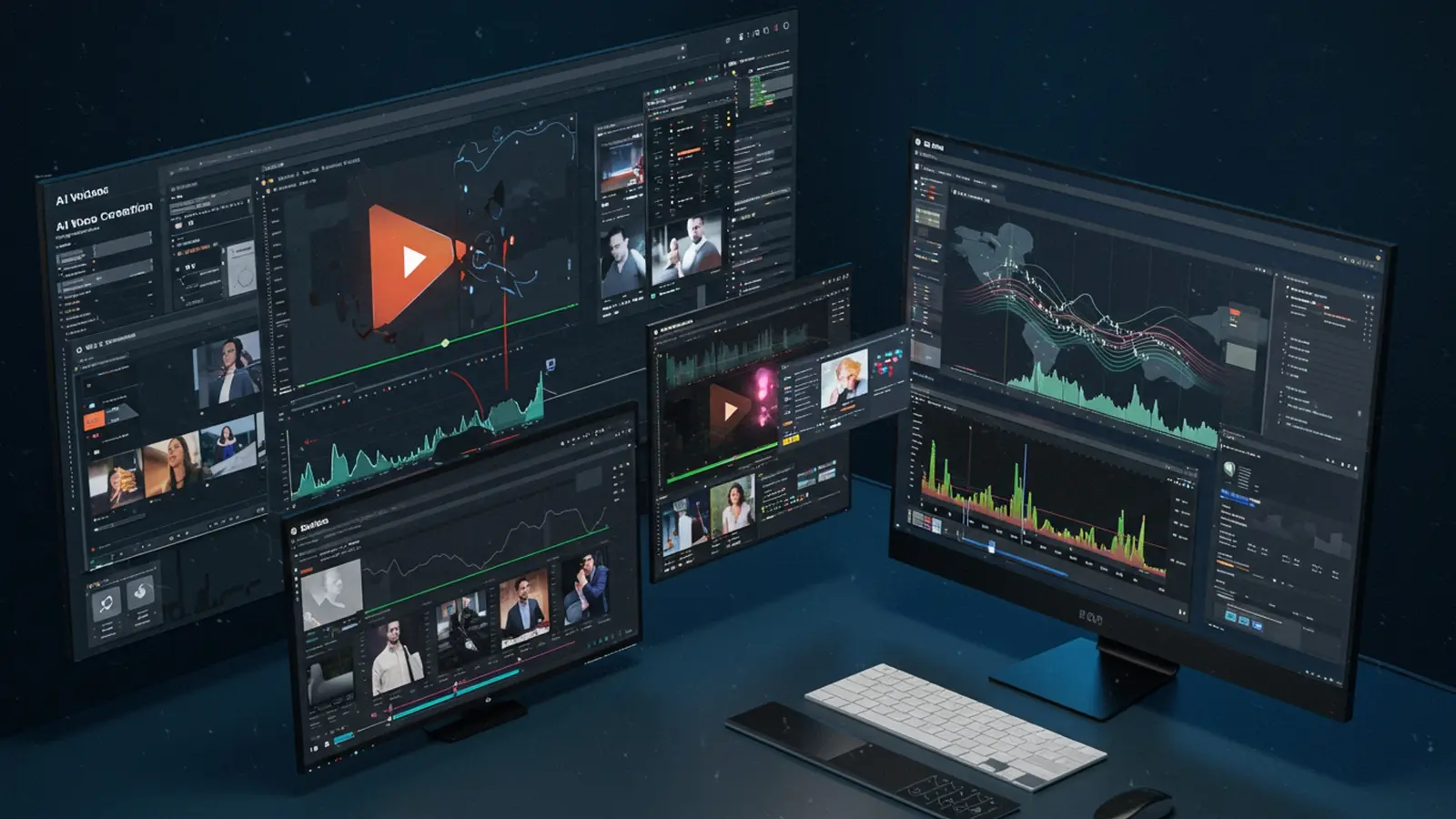
The landscape of video production has fundamentally shifted, as AI video creation tools now empower everyone to generate stunning visuals with unprecedented ease. Gone are the days of needing extensive studios or complex software; advanced algorithms seamlessly transform simple text prompts into dynamic marketing clips, animate photorealistic digital humans. synthesize intricate scenes with professional polish. Platforms like RunwayML and Pika Labs exemplify this revolution, demonstrating how current AI capabilities democratize high-quality content. This technological leap significantly streamlines the creative process, making professional-grade video output achievable for individuals and businesses without specialized skills or large budgets.

Understanding the Magic Behind AI Video Creation
Imagine being able to bring your wildest ideas to life on screen with just a few clicks or a simple text prompt. That’s the revolutionary power of artificial intelligence (AI) in the realm of video. At its core, ai video creation leverages advanced algorithms to automate and enhance various stages of video production, from generating entire scenes from scratch to fine-tuning existing footage.
So, how does AI “see” and “comprehend” video? It’s a fascinating blend of technologies:
- Natural Language Processing (NLP): This is how AI understands your text commands. When you type “a futuristic city at sunset with flying cars,” NLP helps the AI interpret your words, their context. their intended meaning.
- Computer Vision: This branch of AI enables machines to “see” and process visual data from videos and images. It can recognize objects, faces, scenes. even track movement, allowing it to comprehend the composition of a shot or identify elements to manipulate.
- Generative AI: This is the most exciting part for many. Generative models, often based on deep learning, can create new content that has never existed before. This means generating realistic images, animations. even full video sequences based on the patterns and data they’ve been trained on. Think of it like a digital artist who has studied millions of paintings and can now create entirely new ones in any style you ask for.
The reason ai video creation is booming now is largely due to advancements in computational power and the availability of vast datasets for training these AI models. What once required professional studios and years of experience is now becoming accessible to anyone with a computer and an idea.
The Core Components of AI Video Creation Tools
Modern AI video tools offer a suite of functionalities that streamline and revolutionize the video production process. Here are some of the key components you’ll encounter:
- Text-to-Video Generation: This is often the headline feature. You simply type a descriptive sentence or paragraph (your “prompt”). the AI generates a video clip or even an entire short video based on your input. You can specify styles, moods, characters. actions. For instance, prompting “
A whimsical animation of a cat playing a piano in a jazz club, 1920s style” could yield stunning results.
- Image-to-Video Generation: Have a static image you want to bring to life? AI can animate elements within it, add camera movements, or even extrapolate movement to create a short video clip from a single picture. Imagine turning a family photo into a living memory!
- Video Editing & Enhancement: AI isn’t just about generating new content; it’s also a powerful assistant for traditional editing.
- Automated Cuts and Transitions: AI can assess your footage and suggest optimal cuts or apply stylistic transitions.
- Object Removal: Need to get rid of an unwanted person or object in the background? AI tools can seamlessly erase them.
- Upscaling and Enhancement: Improve the resolution of old or low-quality footage, enhance colors. stabilize shaky shots.
- AI Avatars & Voiceovers: Create realistic or stylized digital presenters for your videos. These AI avatars can lip-sync to generated or uploaded voiceovers, saving you the need for actors or elaborate filming. AI voice generators offer a wide range of voices, languages. emotional tones, transforming text scripts into natural-sounding speech.
- Scriptwriting & Storyboarding: Feeling stuck for ideas? Some AI tools can help you brainstorm video concepts, write scripts, or even generate basic storyboards based on your topic and target audience, acting as a creative partner in your ai video creation journey.
Popular AI Video Creation Tools at Your Fingertips
The landscape of ai video creation tools is rapidly evolving, with new platforms emerging constantly. While specific product names might change, they generally fall into categories with distinct features and target users. Here’s a general comparison to help you comprehend the different types of tools available:
| Tool Category | Primary Function | Ease of Use | Target User | Typical Cost Model |
|---|---|---|---|---|
| Dedicated Text-to-Video Generators | Generates video clips from text prompts. Focus on creative generation. | Medium to High (depending on prompt complexity) | Artists, content creators, marketers for unique visuals | Subscription (tiered by generation minutes/credits) |
| AI-Assisted Video Editors | Enhances existing video editing software with AI features (e. g. , object removal, auto-cutting, upscaling). | Medium (assumes some editing knowledge) | Videographers, editors, anyone with existing footage | Subscription, one-time purchase, or integrated into existing software |
| AI Presentation/Explainer Video Platforms | Creates structured videos with AI avatars, voiceovers. stock media based on scripts. | High (designed for quick content) | Businesses, educators, marketers for quick explainers | Subscription (tiered by video length, features) |
| AI Scripting & Storyboarding Tools | Helps generate scripts, story outlines. basic visual concepts. | High (text-based input) | Writers, content strategists, pre-production teams | Subscription, often part of larger suites |
For example, a student like Emily, who needs to create an engaging presentation for her history class, might lean towards an AI Presentation platform to quickly generate an explainer video with an AI avatar. Meanwhile, a budding filmmaker like Leo, experimenting with surreal visuals, would find a dedicated Text-to-Video Generator more suitable for his specific ai video creation needs.
A Step-by-Step Guide: Creating Your First AI Video
Ready to dive in and create your own stunning video? Here’s a simple guide to get you started with ai video creation:
Step 1: Define Your Vision
Before you open any tool, ask yourself: What’s the purpose of your video? Who is your audience? What message do you want to convey? A clear vision will guide your AI prompts and choices. Are you making a short social media ad, an educational explainer, or a creative art piece?
Step 2: Choose Your AI Tool
Based on your vision, select the right tool. If you need to generate entirely new footage from text, go for a text-to-video generator. If you have existing footage you want to enhance, an AI-assisted editor is your best bet. Many platforms offer free trials, so you can experiment to find what fits your style.
Step 3: Input Your Content
This is where you feed your ideas into the AI.
- For Text-to-Video: Write your prompt. Be as descriptive as possible.
- For Image-to-Video: Upload your image(s).
- For AI-Assisted Editing: Upload your raw video footage.
- For AI Avatars/Voiceovers: Type out your script.
Step 4: Guide the AI
Once you’ve provided your initial input, the AI tool will likely offer options to refine the output.
- Prompts: If generating video, experiment with different keywords, styles (e. g. , “cinematic,” “cartoon,” “pixel art”). camera angles (e. g. , “wide shot,” “close-up”).
- Settings: Adjust parameters like video length, aspect ratio, resolution. animation intensity.
- Styles: Many tools allow you to choose from pre-set visual styles or moods.
Actionable Tip for Good Prompts: Be specific, use evocative adjectives. break down complex scenes into simpler elements. Instead of “
person walking
“, try “
A lone figure walking slowly through a misty forest at dawn, cinematic lighting, serene atmosphere
“.
Step 5: Review, Refine. Export
The AI will generate a draft. Watch it critically. Does it match your vision? Most tools allow you to make adjustments, generate variations, or combine different clips. Don’t be afraid to iterate! Once you’re satisfied, export your video in your desired format and resolution. Congratulations, you’ve just created a stunning video with AI!
Real-World Applications: Who’s Using AI Video Creation and Why?
The applications of ai video creation are incredibly diverse, impacting individuals and industries across the board. It’s not just for tech gurus; it’s a tool for everyone with a story to tell or a message to share.
- Content Creators & Influencers: For those constantly needing fresh content, AI is a game-changer. Imagine Maya, a travel vlogger, using AI to quickly generate animated maps or explain complex historical facts in her videos without needing extensive animation skills. Or Alex, a gaming influencer, who uses AI to create short, engaging intros and outros for his streams in minutes. AI helps them maintain a high volume of quality content effortlessly.
- Marketers & Businesses: From startups to large corporations, AI video tools are revolutionizing advertising and internal communications. A small e-commerce business owner, like David, can create stunning product demo videos and engaging social media ads without hiring an expensive production team. Larger companies use AI to quickly generate personalized marketing videos, create internal training modules, or even develop virtual spokespeople for customer service explainers. This significantly reduces costs and production time, allowing for more agile campaign deployment.
- Educators: Making learning engaging is crucial. AI video is a powerful ally. Teachers can use AI to create animated explainer videos for complex subjects, visualize historical events, or even generate short clips to illustrate scientific concepts. This helps students grasp difficult topics more easily and makes remote learning more dynamic. For instance, a biology teacher might use AI to animate the process of photosynthesis, providing a visually rich explanation that a textbook alone cannot.
- Personal Use: Don’t underestimate the power of AI for personal projects! Want to create a unique birthday message for a friend with a personalized AI avatar? Or compile a dynamic family photo montage that tells a story? AI tools make these creative endeavors accessible and fun, allowing anyone to become a video storyteller without needing professional software or skills. Sarah, a busy mom, used an AI tool to turn her vacation photos into a captivating short video with music and text, preserving memories in a fresh, engaging way.
The common thread across all these uses is the democratization of video production. AI removes many technical barriers, empowering more people to tell their stories visually.
Navigating the Future: Benefits and Ethical Considerations of AI Video Creation
The rise of ai video creation brings with it a wave of exciting benefits and essential considerations that we, as users, should be aware of. It’s a powerful technology. like all powerful tools, it must be wielded responsibly.
Benefits:
- Speed & Efficiency: AI dramatically cuts down the time required for video production, allowing creators to generate content in minutes or hours instead of days or weeks.
- Cost-Effectiveness: By automating tasks and reducing the need for specialized equipment or personnel, AI makes high-quality video production more affordable for everyone.
- Accessibility & Democratization: AI empowers individuals and small businesses who may lack traditional video editing skills or resources to create professional-looking videos. It levels the playing field, making creative expression accessible to a wider audience.
- Creativity Boost: AI can act as a creative partner, helping to generate ideas, explore different visual styles. even overcome creative blocks, pushing the boundaries of what’s possible.
- Personalization: The ability to quickly generate variations means videos can be tailored to specific audiences or even individuals, leading to more engaging and relevant content.
Challenges & Considerations:
- Authenticity & Deepfakes: The ability of AI to generate realistic video content raises concerns about distinguishing between real and fake. This includes the potential for “deepfakes” – highly realistic but fabricated videos – which could be used to spread misinformation or harm reputations. It’s crucial for platforms and users to develop ways to verify authenticity.
- Copyright & Ownership: When AI generates content, questions arise about who owns the copyright – the user who provided the prompt, the AI model, or the company that developed the AI? This is an evolving area of law and policy.
- Job Displacement: While AI creates new opportunities, there’s concern that it could automate tasks traditionally performed by human video editors, animators, or voice actors. But, many see AI as an assistant, enhancing human creativity rather than replacing it entirely, allowing professionals to focus on higher-level creative direction.
- Bias in AI Models: AI models are trained on vast datasets. if these datasets contain biases (e. g. , underrepresentation of certain demographics), the AI-generated content can inadvertently perpetuate these biases. Developers are working to address this. it’s a continuous effort.
Ultimately, while ai video creation offers incredible capabilities, the human element remains paramount. Our creativity, critical thinking, ethical judgment. ability to tell compelling stories are irreplaceable. AI is a tool to amplify our human potential, not to diminish it. By understanding its power and its limitations, we can harness AI to create truly stunning and responsible video content.
Conclusion
You’ve now seen how accessible and powerful AI makes video creation, transforming complex processes into intuitive steps for everyone. The days of needing expensive equipment or specialized skills are rapidly fading, replaced by innovative platforms that turn your text prompts into dynamic visuals. My personal tip is to always start simple; don’t aim for a Hollywood blockbuster on your first attempt. Instead, experiment with short clips, perhaps a quick explainer video for a hobby or a captivating social media ad to truly grasp the workflow. Consider the recent advancements with tools like OpenAI Sora, demonstrating the incredible potential to generate incredibly realistic and lengthy scenes from mere descriptions, a true game-changer in creative production. This isn’t just a fleeting trend; it’s the future of storytelling, democratizing high-quality video for all. The key takeaway is continuous experimentation and refining your prompts. Embrace the iterative nature of AI video generation, as each iteration brings you closer to your vision. Your unique voice, combined with AI’s capabilities, can produce truly stunning results that resonate with your audience. Start creating today, because the only limit is your imagination. AI is here to amplify it.
More Articles
Unlock Stunning Videos 10 Essential OpenAI Sora Prompt Strategies
OpenAI Sora Revealed Create Breathtaking Videos Effortlessly
Your Essential Guide to Crafting Perfect AI Prompts Every Time
Crafting Engaging Stories 7 Ways AI Transforms Content Creation
Master the Art of Talking to AI for Powerful Results 
FAQs
What’s this guide all about?
This guide is your straightforward companion for using artificial intelligence to create stunning videos. It’s designed to be simple and accessible, showing anyone how to leverage AI for video production, even if you’re a complete beginner.
Do I need to be a tech expert to use AI for videos?
Not at all! This guide is specifically crafted for everyone, regardless of their technical background. We break down the process into easy-to-follow steps, so you don’t need any prior experience with AI or complex video editing software.
What kind of videos can I actually make with AI?
You can create a huge variety! Think social media clips, marketing promos, educational content, personal vlogs, explainer videos. much more. AI can assist with everything from scriptwriting and voiceovers to generating visuals and even basic editing.
Is it expensive to start creating videos with AI tools?
Many AI video tools offer free tiers or trials, making it easy to get started without a big investment. Our guide focuses on accessible options, so you can experiment and create without breaking the bank. You’ll find there are plenty of affordable ways to dive in.
How much time will AI really save me in video production?
A significant amount! AI can automate some of the most time-consuming tasks, like drafting scripts, generating realistic voiceovers, finding relevant stock footage. performing initial edits. This means you can go from idea to finished video much faster than with traditional methods.
What if my video ideas are super unique? Can AI still help with that?
Absolutely! AI acts as a powerful creative assistant. You provide your unique concept. AI helps bring it to life by generating elements based on your input – whether it’s specific script lines, visual styles, or audio effects. It’s about enhancing your original vision, not replacing it.
Will using AI make my videos look generic or unoriginal?
Not if you follow the guide! While AI offers powerful tools, you remain the director and creator. The guide will show you how to customize and personalize the AI-generated content, ensuring your videos reflect your unique style and message. stand out from the crowd.