
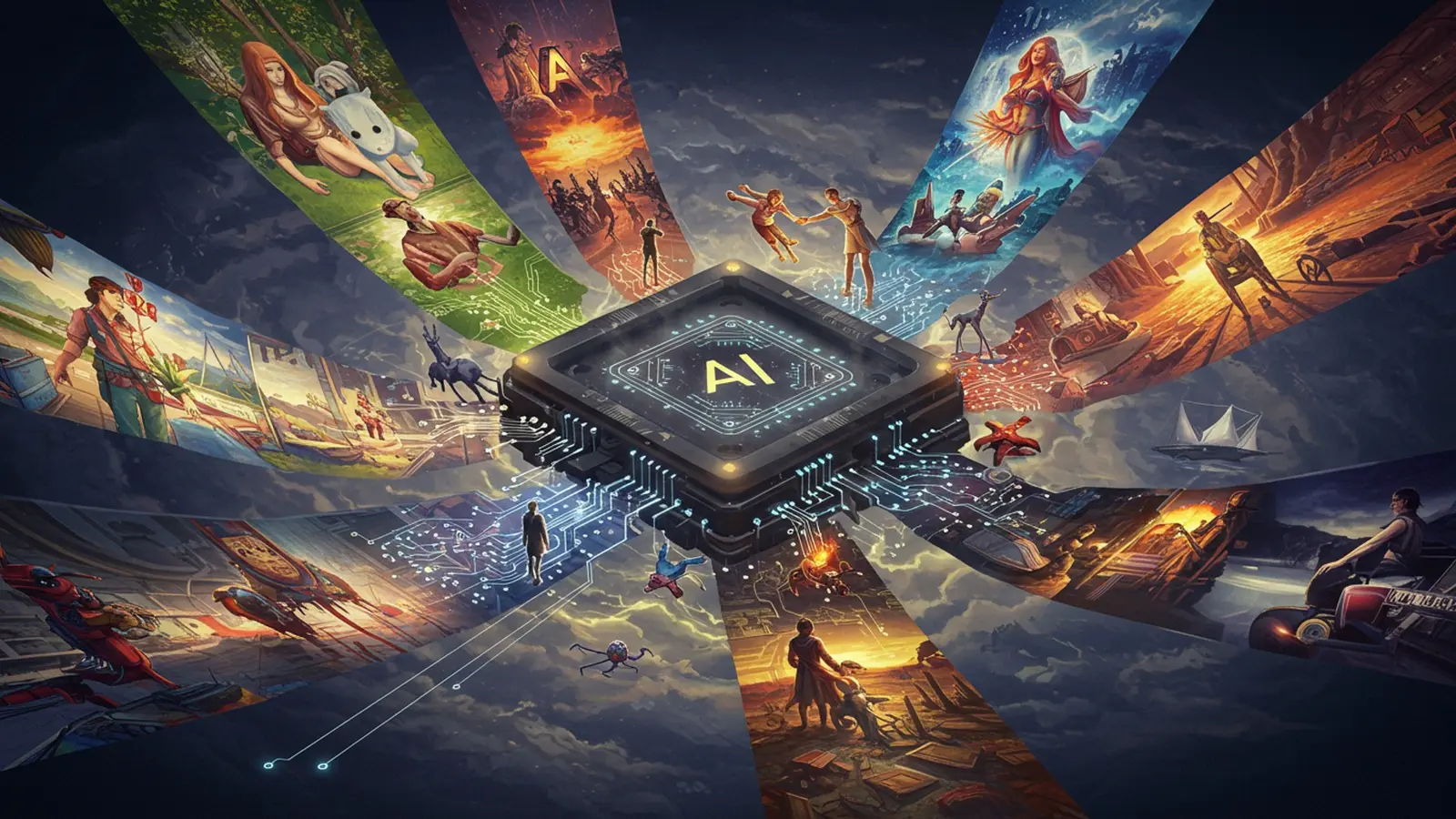
The landscape of visual creativity is undergoing a profound transformation, driven by the explosive capabilities of generative AI. Tools like DALL-E 3, Midjourney. Stable Diffusion now empower individuals to manifest complex visual concepts into stunning realities, simply by crafting precise text prompts. This revolution in ai image creation democratizes artistic expression, moving beyond traditional software limitations to unlock unprecedented creative potential. Understanding the nuances of prompt engineering, model parameters. iterative refinement becomes crucial for leveraging these advanced neural networks to produce truly amazing images, transforming imagination directly into high-quality visual assets. 
Understanding the Magic Behind AI Image Creation
In recent years, the landscape of digital art and content creation has been revolutionized by a fascinating technological advancement: artificial intelligence. The ability to generate stunning, unique images from simple text descriptions, known as ai image creation, has moved from the realm of science fiction into a powerful tool accessible to everyone. But how does this magic actually work?
What is AI Image Generation?
At its core, AI image generation refers to the process where artificial intelligence algorithms create visual content based on specific inputs, typically text descriptions (known as “prompts”). Unlike traditional graphic design, where an artist meticulously crafts every pixel, AI models interpret your words and conjure images that match your vision, often with astonishing detail and creativity. This capability is transforming how we approach visual storytelling, marketing. artistic expression.
How Does It Work? The Brains Behind the Art
The primary technologies driving modern ai image creation are complex neural networks, particularly two dominant architectures:
- Generative Adversarial Networks (GANs)
- The Generator creates new images based on random noise or an input prompt.
- The Discriminator evaluates these images, trying to determine if they are real (from a training dataset) or fake (generated by the Generator).
- Diffusion Models
- Forward Diffusion
- Reverse Diffusion
Introduced in 2014, GANs consist of two neural networks, a “Generator” and a “Discriminator,” that compete against each other.
This adversarial process refines the Generator’s ability to create increasingly realistic and high-quality images until the Discriminator can no longer tell the difference.
These models have gained prominence more recently and are behind many of today’s leading ai image creation tools. They work by learning to reverse a process of gradually adding noise to an image.
The model is trained by slowly adding Gaussian noise to an image until it’s just pure noise.
The model then learns to reverse this process, starting from noise and incrementally removing it to reconstruct the original image. When you provide a text prompt, the model guides this denoising process to generate an image that aligns with your description.
Diffusion models are particularly adept at generating highly detailed and coherent images, often excelling in understanding complex prompts and artistic styles.
Key Components of AI Image Creation
Understanding these elements will empower you to better control the output:
- Prompts
- Models
- Parameters
These are your instructions to the AI – the text descriptions that guide the image generation. A well-crafted prompt is the most critical factor in achieving your desired visual.
The underlying AI architecture (like GANs or Diffusion Models) and the specific dataset it was trained on. Different models excel at different styles and types of images.
These are settings you can adjust, such as image aspect ratio, style weights, randomness (seed). negative prompts (things you explicitly don’t want in the image).
Crafting Your Vision: The Art of Prompt Engineering
Generating amazing images with AI isn’t just about having the technology; it’s about communicating your vision effectively. This communication happens through “prompt engineering”—the skill of writing clear, detailed instructions for the AI. Think of it as being a director instructing a highly skilled. literal, visual artist.
What Makes a Good Prompt?
A good prompt is like a recipe for a masterpiece: it’s specific, descriptive. provides enough detail for the AI to interpret your intent without being overly verbose. Vague prompts lead to generic images, while precise ones unlock incredible creative potential in your ai image creation journey.
Elements of an Effective Prompt
Here’s a breakdown of components you can include to guide the AI:
- Subject
- Action/Context
- Style/Art Medium
- Lighting
- Composition/Angle
- Mood/Atmosphere
- Colors
- Artist/Era Reference
- Negative Prompts
What is the main focus? (e. g. , “a majestic lion,” “a futuristic cityscape”)
What is the subject doing or where is it? (e. g. , “roaring on a savannah,” “under a neon-lit sky”)
What artistic style should it emulate? (e. g. , “oil painting,” “digital art,” “pencil sketch,” “photorealistic,” “steampunk”)
How is the scene lit? (e. g. , “golden hour,” “dramatic chiaroscuro,” “soft studio lighting,” “backlit silhouette”)
How is the scene framed? (e. g. , “wide shot,” “close-up,” “from above,” “dutch angle”)
What feeling should the image evoke? (e. g. , “serene,” “eerie,” “energetic,” “nostalgic”)
Specific color palettes or dominant colors. (e. g. , “vibrant blues and purples,” “monochromatic sepia tones”)
You can even reference famous artists or periods. (e. g. , “in the style of Van Gogh,” “1980s cyberpunk poster”)
Things you explicitly don’t want. This is crucial for refining outputs. (e. g. , “ugly, deformed, blurry, low quality, extra limbs”)
Examples of Prompt Variations and Their Outcomes
Let’s look at how adding detail changes the output:
a cat
Outcome: Likely a generic cat, perhaps sitting, in a default style.
a fluffy ginger cat, sitting on a sunlit windowsill, looking curiously at a butterfly, photorealistic, bokeh background, warm lighting, f/1. 8, --ar 16:9
Outcome: A much more specific image with desired lighting, focus. composition, demonstrating the power of detailed ai image creation prompts.
a lone astronaut exploring an alien jungle at night, bioluminescent plants, dreamlike, vibrant purples and greens, digital painting, dramatic lighting, high detail, in the style of sci-fi concept art, --ar 3:2
Outcome: A fantastical scene with a specific artistic direction and atmospheric quality.
Actionable Tips for Writing Prompts
- Start Simple, Then Elaborate
- Use Keywords
- Be Specific, Not Vague
- Experiment with Adjectives and Adverbs
- Leverage Negative Prompts
- Iterate and Refine
- Learn from Others
Begin with your core subject, then progressively add details like style, lighting. composition.
AI models respond well to strong keywords. Instead of “a happy dog,” try “a joyful golden retriever.”
“A beautiful landscape” is less effective than “a serene mountain lake at sunrise, mist rising, pine trees reflected, impressionistic style.”
“Dramatic,” “vibrant,” “ethereal,” “softly,” “intensely”—these words add richness.
If you keep getting unwanted elements (e. g. , blurry faces, too many fingers), explicitly tell the AI to avoid them.
Rarely will your first prompt be perfect. Generate a few images, see what you like and dislike. adjust your prompt accordingly. This iterative process is key to mastering ai image creation.
Many platforms allow you to see the prompts used to generate images in their galleries. This is an excellent way to learn prompt engineering techniques.
Exploring the Tools: Popular AI Image Creation Platforms
The field of ai image creation is bustling with innovative platforms, each offering unique features, strengths. communities. Choosing the right tool depends on your specific needs, budget. desired level of control. Here’s a look at some of the most popular options and how they stack up.
Brief Overview of Popular Platforms
- Midjourney
- DALL-E 3 (integrated into ChatGPT Plus)
- Stable Diffusion
- Adobe Firefly
Known for its stunning aesthetic and ability to generate highly artistic and imaginative images with relatively concise prompts. It operates primarily through a Discord bot interface, fostering a strong community.
Developed by OpenAI, DALL-E 3 excels at understanding complex, nuanced prompts and generating images that closely match text descriptions. Its integration with ChatGPT allows for more conversational prompt refinement.
An open-source model that can be run locally or accessed via various online interfaces (e. g. , Stability AI’s DreamStudio, Hugging Face). It offers unparalleled flexibility and customization, especially for advanced users. is a cornerstone of much independent ai image creation.
Adobe’s suite of generative AI tools, integrated into creative applications like Photoshop. Firefly focuses on commercial viability and ethical sourcing, ensuring its training data is primarily Adobe Stock images and public domain content.
Comparison of AI Image Creation Tools
Here’s a comparison to help you weigh your options:
| Feature/Platform | Midjourney | DALL-E 3 (ChatGPT Plus) | Stable Diffusion (e. g. , DreamStudio) | Adobe Firefly |
|---|---|---|---|---|
| Ease of Use (Beginner) | Medium (Discord interface can be a learning curve) | High (Conversational prompting) | Medium (Varies by interface, local setup is complex) | High (Integrated into familiar Adobe UI) |
| Output Quality/Aesthetics | Excellent (Highly artistic, often cinematic) | Excellent (Great prompt adherence, high detail) | Variable (Highly customizable, can be excellent with skill) | Very Good (Focus on commercial quality, fewer “artifacts”) |
| Prompt Interpretation | Good (Benefits from specific aesthetic keywords) | Excellent (Nuanced understanding of complex prompts) | Good (Relies on precise keyword weighting) | Good (Strong for realistic and specific object generation) |
| Customization/Control | Medium (Aspect ratios, basic styling) | Medium (Less direct control over technical parameters) | High (Extensive parameters, ControlNet, custom models) | Medium (Text effects, generative fill, style transfer) |
| Pricing Model | Subscription-based (paid tiers for fast generations) | Subscription-based (ChatGPT Plus) | Varies (Free tiers, paid credits, or free for local run) | Subscription-based (part of Creative Cloud plans) |
| Use Cases | Concept art, illustrations, imaginative scenes | Content creation, marketing, detailed scene generation | Advanced art, research, custom model training, specific control tasks | Graphic design, marketing assets, content creation, image editing |
Real-World Use Cases for AI Image Creation Platforms
- Midjourney
- DALL-E 3
- Stable Diffusion
- Adobe Firefly
An independent artist might use it to quickly prototype dozens of concept art ideas for a new game or fantasy novel, generating initial visual directions before detailed manual work.
A blogger could leverage its precise prompt understanding to create unique header images for articles, ensuring they perfectly match the article’s theme and tone. A marketer might generate diverse ad creatives for A/B testing.
A 3D artist could use ControlNet (a Stable Diffusion feature) to guide the AI in generating textures or background elements based on a rough sketch, maintaining specific poses or compositions. An enthusiast could train a custom model on their own art style.
A graphic designer uses generative fill in Photoshop to seamlessly extend a background in a product photo or remove unwanted elements, saving hours of manual retouching. They might also generate unique text styles for branding projects.
Beyond the Basics: Advanced Techniques and Customization
Once you’ve mastered the fundamentals of prompt engineering and explored the basic functionalities of ai image creation tools, a world of advanced techniques opens up. These methods allow for even greater control, customization. refinement of your generated visuals.
Image-to-Image Generation (Img2Img)
Many AI image creation platforms offer an “image-to-image” (img2img) feature. Instead of starting from scratch with just a text prompt, you provide an existing image as a base. The AI then uses this image’s structure, colors, or composition as a guide, transforming it according to your text prompt and specified “strength” or “denoising” level.
- Use Cases
- Stylizing Photos
- Variations
- Sketch to Art
- Inpainting/Outpainting
- Actionable Tip
Transform a realistic photo into a painting in a specific artistic style.
Generate multiple stylistic variations of an existing image.
Turn a rough sketch or doodle into a fully rendered piece of art.
Modify specific parts of an image or extend its boundaries seamlessly.
Experiment with the “denoising strength” parameter. A low strength will keep the output very close to the original image, while a high strength will give the AI more freedom to transform it, guided primarily by your prompt.
ControlNet for Stable Diffusion
ControlNet is a groundbreaking feature, primarily available for Stable Diffusion, that offers unprecedented control over the structural aspects of ai image creation. It allows you to feed a “control map” alongside your text prompt, forcing the AI to adhere to a specific pose, depth map, or even edge detection from an input image.
- Types of Control Maps
- Canny
- OpenPose
- Depth
- Segmentation
- Example Use Case
Uses edge detection to guide the AI to draw specific outlines.
Controls character poses based on skeletal stick figures.
Uses a depth map to define the 3D structure and perspective of the scene.
Allows you to color-code different areas of an image (e. g. , sky, person, building) to guide their placement and content.
Imagine you have a photograph of a person in a specific pose. you want to generate a completely new character in that exact pose within a different environment. You can use OpenPose to extract the pose from the photo and apply it to a new prompt like:
"a medieval knight in full armor, standing heroically on a cliff edge, sunset lighting, epic fantasy art"
– ensuring the knight maintains the desired stance.
Upscaling and Refining Images
Initial AI-generated images might not always be at the highest resolution or perfectly polished. Upscalers and refining techniques are essential for turning good generations into production-ready assets.
- AI Upscalers
- Image Editing Software
- Iterative Prompting
Tools like Real-ESRGAN, SwinIR, or integrated upscalers within platforms use AI to intelligently increase image resolution without pixelation, adding detail rather than just stretching pixels.
Post-processing in tools like Adobe Photoshop or GIMP allows for final touches—color correction, minor artifact removal, adding text, or compositing with other elements.
Sometimes, the best way to refine an image is to re-run the generation with slightly tweaked prompts, perhaps adding “high detail,” “8k,” or specific instructions for problem areas. You can often use the “seed” of a good image to generate variations of it.
Real-World Impact and Ethical Considerations
The rapid evolution of ai image creation has profound implications across various industries and raises essential ethical questions. Understanding these aspects is crucial for responsible and effective use of this powerful technology.
Case Studies and Anecdotes: AI Image Creation in Action
- Marketing and Advertising
- Game Development and Concept Art
- Personalized Content Creation
- Architecture and Interior Design
A small business owner, Sarah, needed eye-catching visuals for a new product launch. Instead of hiring a photographer or illustrator for every concept, she used DALL-E 3 to quickly generate dozens of unique background scenes and product placements. This allowed her to test various visual themes with her audience efficiently and affordably, dramatically cutting down on design costs and time. The ability to iterate on ad creatives through ai image creation gave her a significant competitive edge.
Game studios are increasingly using tools like Midjourney to rapidly prototype visual concepts for characters, environments. props. Instead of weeks for concept artists to sketch initial ideas, designers can generate hundreds of possibilities in hours. A team working on a fantasy RPG used AI to visualize different architectural styles for an ancient elven city, feeding specific prompts like “elven architecture, bioluminescent forest, ancient ruins, intricate carvings, art nouveau style” to explore diverse aesthetics.
An educator, Mark, wanted to create engaging visual aids for his history lessons. Using Stable Diffusion, he generated images of historical figures in accurate period attire, or scenes depicting ancient events, tailored precisely to his lesson plans. This personalized approach to ai image creation made complex topics more accessible and captivating for his students, helping them visualize abstract concepts.
Architects are leveraging AI to visualize design concepts for clients. By inputting rough sketches or floor plans and descriptive prompts, they can generate realistic renderings of proposed buildings or interior spaces, complete with different material textures, lighting conditions. furniture arrangements, aiding in client communication and design exploration.
Ethical Implications of AI Image Creation
While the benefits are clear, the widespread use of ai image creation also presents significant challenges:
- Copyright and Ownership
- Deepfakes and Misinformation
- Bias in Training Data
- Impact on Human Artists
Who owns the copyright to an AI-generated image? If an AI is trained on copyrighted material, does its output infringe on those rights? These are complex legal questions currently being debated globally. Users must be aware of the terms of service for the platforms they use, as some platforms assert ownership or provide licenses for commercial use.
The ability to generate highly realistic, yet entirely fabricated, images poses a risk of creating convincing deepfakes or spreading misinformation. This can erode trust in visual media and has serious societal implications, making critical evaluation of digital content more crucial than ever.
AI models learn from vast datasets. If these datasets contain biases (e. g. , underrepresentation of certain demographics, stereotypes), the AI can perpetuate and amplify these biases in its generated images. For instance, prompting for “CEO” might predominantly generate images of men.
There are concerns that AI image creation could devalue the work of human artists or reduce demand for their skills. But, many see AI as a powerful co-creative tool that can augment human creativity, allowing artists to explore ideas faster and focus on higher-level creative direction.
Responsible Use of AI
As users of ai image creation, we have a responsibility to:
- Be Transparent
- Respect Copyright
- Combat Misinformation
- Promote Diversity
Clearly label AI-generated content when appropriate, especially in news, educational, or sensitive contexts.
interpret the origin of images used for img2img and the licensing terms of your chosen AI platform.
Avoid creating or sharing deceptive AI-generated content.
Actively try to counteract potential biases by including diverse descriptors in your prompts.
Getting Started: Your First Steps into AI Image Creation
Embarking on your ai image creation journey is an exciting venture. With the right approach, you’ll be generating unique and captivating visuals in no time. Here’s a practical guide to help you take your first steps.
Choosing Your First Platform
Based on the comparison earlier, consider what’s most vital to you:
- For Artistic Exploration (and a community feel)
- For Precise Text-to-Image (and conversational help)
- For Maximum Control (and open-source flexibility)
- For Integration with Existing Workflows (and commercial safety)
Midjourney is an excellent choice. Its Discord interface might take a little getting used to. the results are often stunning and highly imaginative. It’s a great place to see what others are creating and learn from their prompts.
DALL-E 3, especially through ChatGPT Plus, is fantastic if you want images that accurately reflect complex descriptions. The ability to refine prompts through conversation is a huge advantage for beginners.
Stable Diffusion, accessed via an online interface like DreamStudio, offers a vast array of parameters for fine-tuning. If you’re technically inclined or plan to delve deep into advanced techniques, this is a powerful starting point.
Adobe Firefly is a strong contender if you’re already in the Adobe ecosystem and prioritize commercially safe content generation.
Many platforms offer free trials or limited free generations. This is a great way to experiment before committing to a subscription.
A Simple Step-by-Step Example
Let’s use a hypothetical platform (most work similarly) to generate an image:
- Choose Your Platform
- Enter Your First Prompt
- Adjust Basic Parameters (if available)
- Generate
- Review and Iterate
- Did you get a puppy? A field of sunflowers? Was it sunny?
- If the puppy looks a bit odd, consider adding a negative prompt:
--no deformed, blurry, extra limbs(syntax varies by platform).
- If you want a different style, add it:
a happy golden retriever puppy, playing in a field of sunflowers, bright sunny day, watercolor painting style - Keep trying different variations until you get closer to your vision. Save the “seed” number if you get a result you almost love, as this allows you to generate variations of that specific image.
For this example, let’s imagine you’ve chosen a platform with a simple text input field.
Start simple. Type:
a happy golden retriever puppy, playing in a field of sunflowers, bright sunny day
Look for options like “aspect ratio” (e. g. , 1:1 for a square, 16:9 for a landscape). Let’s pick 16:9.
Click the “Generate” or “Create” button.
Actionable Tips for Beginners
- Start with Clear Subjects
- Be Specific, Not Just Descriptive
- Experiment with Styles
- Use Adjectives and Verbs
- Learn from Examples
- Don’t Fear Failure
- Join Communities
Begin with objects or concepts the AI is likely to grasp well (animals, landscapes, common items).
Instead of “a car,” try “a vintage red sports car, parked on a cobblestone street, 1950s aesthetic.”
Don’t be afraid to try different artistic styles. “Digital painting,” “photorealistic,” “line art,” “anime,” “impressionist”—these can dramatically alter your results.
“Vibrant,” “serene,” “dramatic,” “flowing,” “glowing”—these words breathe life into your prompts.
Browse galleries on AI platforms or communities. When you see an image you like, try to deconstruct the prompt or, if available, copy and modify it. This is one of the fastest ways to learn prompt engineering for ai image creation.
Not every generation will be perfect. The process of ai image creation is about iteration and discovery. View unexpected results as learning opportunities or even happy accidents that spark new ideas.
Platforms like Discord host vibrant communities where users share tips, prompts. showcase their work. Engaging with these communities can accelerate your learning and inspire new creative directions.
Conclusion
You’ve now navigated the fascinating world of AI image generation, understanding that your vision is the true conductor of this digital orchestra. Remember, mastering the art isn’t about complex algorithms. about refined prompt engineering and iterative refinement. My personal tip: treat your AI model, whether it’s Midjourney v6 or DALL-E 3, as a brilliant but literal assistant. A few extra descriptive words or a subtle negative prompt like “no blur” can dramatically transform an image, turning a generic landscape into a hyper-realistic “ethereal forest with bioluminescent flora, cinematic lighting.” The current trend sees AI images not just as art. as vital tools for content creators and marketers, rapidly generating visuals for everything from social media campaigns to product mockups. Don’t be afraid to experiment; that’s where true discovery lies. Keep iterating, keep pushing the boundaries of your imagination. The next breathtaking image is just a prompt away, ready for you to unleash.
More Articles
Unleash Your Inner Artist Design Breathtaking Images with AI
Grok Imagine Unleash Your Creativity Generate Stunning AI Art
How AI Will Reshape Content Creation An Essential Guide
Unlock Marketing Success 7 Generative AI Strategies for Brands
Transform Your Content Create Engaging Videos with AI No Skills Needed 
FAQs
What exactly is “Generate Amazing Images with AI Your Creative Visual Guide” all about?
This guide is your go-to resource for diving into the exciting world of AI image generation. It breaks down how to use various AI tools to create stunning visuals, whether you’re a complete beginner or looking to refine your skills. Think of it as your creative companion for making art with artificial intelligence.
Do I need to be a tech wizard or a coding genius to grasp this guide?
Absolutely not! We designed this guide with accessibility in mind. You don’t need any prior coding knowledge or advanced technical skills. If you can follow instructions and have a passion for creativity, you’re all set to start generating amazing images.
What kind of AI image generation tools or platforms does the guide cover?
The guide explores a range of popular and effective AI image generation platforms. While it doesn’t endorse one specific tool, it provides practical advice and techniques applicable across various leading AI art generators, helping you comprehend the core principles no matter which platform you choose.
I’m a total beginner; can I really create good images using this guide?
Yes, definitely! This guide starts with the basics, walking you through everything from crafting effective prompts to understanding different AI models. You’ll learn the fundamentals and advanced tips to consistently produce high-quality, creative images, even if you’re just starting out.
Once I generate some cool images, what can I actually do with them?
The possibilities are endless! You can use your AI-generated images for personal art projects, social media content, digital design, concept art, storyboarding, mood boards, or even print them for unique home decor. The guide inspires you with various applications to unleash your creativity.
Does the guide delve into different art styles or specific techniques for better results?
Absolutely! We dedicate sections to exploring how to direct AI to create images in various artistic styles, from photorealistic to abstract, impressionistic. beyond. You’ll also learn advanced prompting techniques, how to iterate on designs. tips for refining your output to achieve your desired aesthetic.
Is this guide just about making pretty pictures, or does it cover more depth?
While creating beautiful visuals is a big part of it, the guide goes deeper. It helps you grasp the why and how behind effective AI art, covering aspects like prompt engineering, ethical considerations, understanding AI limitations. developing your unique artistic voice using these powerful tools. It’s about empowering your creativity, not just generating random images.