
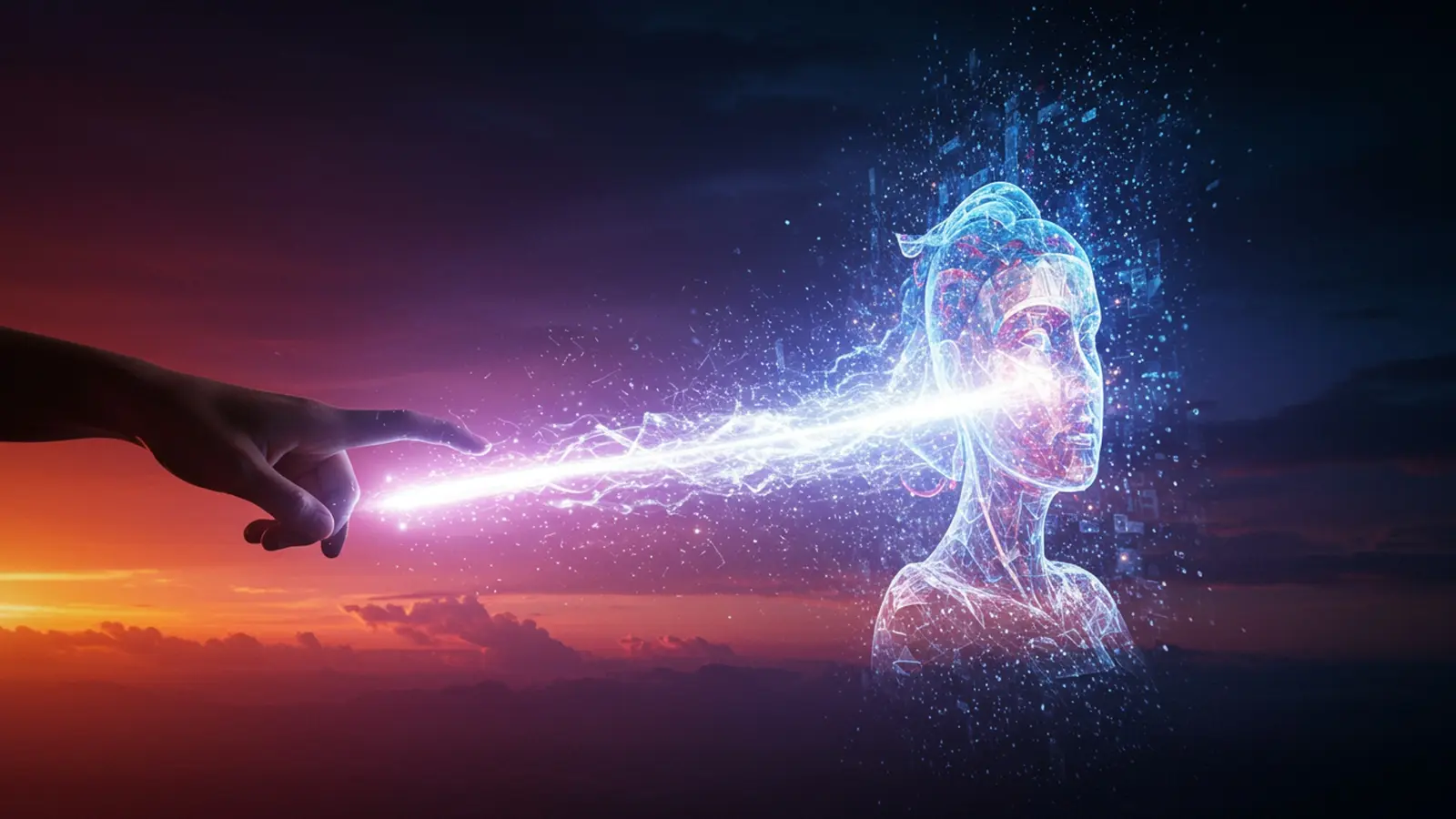
The landscape of visual content generation has radically transformed, empowering creators to manifest intricate visions through sophisticated ai image creation platforms. Gone are the days of laborious graphic design; today, advanced diffusion models, exemplified by tools like Midjourney V6 and DALL-E 3, enable users to conjure photorealistic landscapes, abstract concepts, or detailed character designs with unprecedented speed and precision. This technological leap democratizes artistic expression, allowing anyone to translate a simple text prompt—from “a cyberpunk samurai in a neon-lit Tokyo alley” to “an ethereal forest with bioluminescent flora”—into a breathtaking visual masterpiece. Mastering prompt engineering and understanding model nuances now unlocks a universe of possibilities, turning fleeting ideas into stunning, high-fidelity images in mere moments.

Understanding the Magic: What is AI Image Creation?
In an era where technology constantly redefines what’s possible, ai image creation stands out as a truly revolutionary field. At its core, AI image creation refers to the process of using artificial intelligence models to generate novel images from textual descriptions, existing images, or other forms of input. It’s not just editing; it’s conjuring entirely new visuals into existence.
The magic behind this capability lies in advanced machine learning techniques, primarily generative AI models. These models are trained on vast datasets of images and their corresponding descriptions, learning the intricate relationships between words and visual elements. When you provide a prompt, the AI doesn’t just search for an existing image; it constructs a new one pixel by pixel, based on the patterns and styles it has learned.
Key Concepts and Technologies:
- Generative AI
- Neural Networks
- Diffusion Models
- Prompts
- Latent Space
This is the umbrella term for AI models that can create new content, be it text, audio, or images. Unlike discriminative AI, which classifies or predicts, generative AI produces.
The foundation of most modern AI. These are complex computational systems inspired by the human brain, designed to recognize patterns. For image generation, specific types like Generative Adversarial Networks (GANs) and Diffusion Models are paramount.
Currently the leading technology for high-quality ai image creation. These models work by taking an image and progressively adding noise until it’s pure static, then learning to reverse that process, effectively “denoising” random static into coherent images based on a given prompt.
These are the textual descriptions or instructions you give to the AI model. Think of them as your creative brief. A well-crafted prompt is the key to unlocking the AI’s potential.
An abstract, multi-dimensional mathematical space where the AI model represents complex data like images. When you give a prompt, the AI navigates this latent space to find visual concepts that match your description and then “decodes” them into a visible image.
For instance, when you type “a futuristic city at sunset, cyberpunk style, neon lights, flying cars,” the AI model doesn’t just pull up a picture from the internet. It understands the concepts of “futuristic city,” “sunset,” “cyberpunk,” and “neon lights” from its training. then synthesizes these elements into a unique visual composition, often with stunning detail.
The Journey from Idea to Prompt: Crafting Your Vision
The success of ai image creation hinges significantly on the quality of your prompt. It’s the bridge between your imagination and the AI’s ability to render it. Think of prompt engineering as a new form of digital art direction.
Elements of an Effective Prompt:
- Subject
- Style
- Lighting
- Composition/Angle
- Mood/Atmosphere
- Details
- Color Palette
Clearly define what you want to see. (e. g. , “a majestic lion,” “a medieval castle”)
Specify the artistic style. This is crucial for guiding the AI. (e. g. , “oil painting,” “digital art,” “anime,” “photorealistic,” “surrealism,” “van Gogh style”)
Describe the light source and its quality. (e. g. , “golden hour,” “dramatic studio lighting,” “moonlit,” “neon glow,” “soft ambient light”)
How is the subject framed? (e. g. , “full body shot,” “close-up,” “wide-angle,” “from above,” “symmetrical”)
Convey the feeling you want the image to evoke. (e. g. , “serene,” “eerie,” “energetic,” “nostalgic”)
Add specific elements to enhance the image. (e. g. , “intricate patterns,” “rain droplets on the window,” “steaming coffee cup”)
If you have specific colors in mind. (e. g. , “monochromatic blue,” “vibrant pastels,” “dark and moody tones”)
Techniques for Prompt Engineering:
Effective prompt engineering is an iterative process of refining your instructions to guide the AI towards your desired outcome. Here are some techniques:
- Keywords vs. Natural Language
- Adding Negative Prompts
Some models respond better to a concise list of keywords separated by commas, while others excel with more descriptive, natural language sentences. Experiment to see what works best with your chosen tool.
Many tools allow you to specify what you don’t want to see. This is incredibly powerful for refining results. For example, if your character always has messy hair, you might add a negative prompt like
--no messy hair, blurry, deformed
.
Start with a simple prompt, generate images, then add or remove details based on the results. It’s like sculpting – you refine it over time.
Some platforms allow you to assign “weights” to specific terms to make them more or less prominent. For example,
(blue:1. 2) sky, (red:0. 8) car
might emphasize blue more than red.
Let’s say you want an image of a cat reading a book.
- Basic Prompt
cat reading a book
(Might get a very generic image)
a sophisticated ginger cat wearing glasses, sitting in a cozy armchair by a fireplace, reading an old leather-bound book, highly detailed, warm lighting, hyperrealistic, cinematic still, volumetric light, intricate textures, art by Simon Stålenhag
a sophisticated ginger cat wearing glasses, sitting in a cozy armchair by a fireplace, reading an old leather-bound book, highly detailed, warm lighting, hyperrealistic, cinematic still, volumetric light, intricate textures, art by Simon Stålenhag --no cartoon, blurry, deformed paws, human hands
As you can see, the more specific and descriptive you are, the closer the ai image creation will get to your mental picture. It’s about learning to speak the AI’s language.
Choosing Your Canvas: Popular AI Image Creation Tools
The landscape of ai image creation tools is rapidly evolving, with new platforms emerging and existing ones improving constantly. Each tool has its unique strengths, community. pricing model. Here’s a look at some of the most popular options available today:
Overview of Popular Platforms:
- Midjourney
- DALL-E 3 (integrated with ChatGPT Plus/Copilot)
- Stable Diffusion
- Leonardo AI
- Adobe Firefly
Renowned for its artistic, often dreamlike and visually striking outputs. It excels at aesthetics and is popular with artists and designers. Primarily accessed via Discord.
Developed by OpenAI, DALL-E 3 offers exceptional prompt adherence and understanding of complex instructions. Its integration with conversational AI makes it incredibly intuitive.
An open-source model, meaning its core technology is freely available and can be run locally or integrated into various third-party applications (like Automatic1111, ComfyUI, InvokeAI). This offers immense flexibility and customization, albeit with a steeper learning curve.
A user-friendly platform built on Stable Diffusion, offering a range of fine-tuned models, an intuitive interface. features like image-to-image, ControlNet. a robust community. Great for beginners and experienced users alike.
Adobe’s suite of generative AI tools, integrated directly into applications like Photoshop and Illustrator. Focused on creative professionals, offering features like Generative Fill and Generative Expand for seamless image manipulation within existing workflows.
Comparison of AI Image Creation Tools:
To help you choose, here’s a comparison of some key aspects:
| Feature | Midjourney | DALL-E 3 (via ChatGPT/Copilot) | Stable Diffusion (e. g. , Automatic1111) | Leonardo AI | Adobe Firefly |
|---|---|---|---|---|---|
| Ease of Use | Medium (Discord-based) | Very High (Conversational) | Low (Steep learning curve) | High (Web UI) | High (Integrated into Adobe apps) |
| Output Style | Artistic, aesthetic, often stylized | Highly descriptive, realistic, good text integration | Highly customizable, diverse (depends on model) | Versatile, good for specific styles via models | Professional, realistic, seamless integration |
| Prompt Adherence | Good. can be interpretive | Excellent, understands complex instructions | Good. requires precise prompting | Very Good, especially with fine-tuned models | Excellent for specific tasks (e. g. , filling) |
| Customization | Moderate (parameters) | Limited (focused on prompt) | Extremely High (open-source, extensions, LoRAs) | High (pre-trained models, ControlNet) | Moderate (within Adobe ecosystem) |
| Cost Model | Subscription-based | Subscription (ChatGPT Plus) | Free (local), various cloud options | Freemium, subscription tiers | Subscription (Creative Cloud) |
| Strengths | Aesthetics, community, artistic flair | Prompt understanding, natural language, ease of access | Flexibility, control, open-source, limitless possibilities | User-friendly, diverse models, feature-rich | Seamless integration with professional design workflows |
| Weaknesses | Less control over specific details, Discord interface | Less artistic control than Midjourney, limited advanced features | Complex setup, requires powerful hardware for local use | Can be overwhelming with options, still evolving | Primarily focused on existing image manipulation rather than pure generation |
My personal journey into ai image creation started with Midjourney, drawn by its stunning artistic output. While it’s fantastic for generating beautiful concept art, I later explored Stable Diffusion for its unparalleled control and the ability to run it locally, allowing for endless experimentation without usage limits. Leonardo AI has since become a go-to for its excellent balance of features and user-friendliness, especially for specific styles.
Beyond the Basic: Advanced Techniques for Masterpiece Generation
While simple text-to-image prompting is a fantastic starting point for ai image creation, the true power of these tools emerges when you delve into more advanced techniques. These methods allow for greater control, precision. the ability to refine your images from good to truly breathtaking.
1. Inpainting and Outpainting: Seamless Image Modification and Expansion
- Inpainting
- Outpainting
Imagine you’ve generated a perfect image. one small detail isn’t quite right – perhaps a character’s hand is distorted, or an object is out of place. Inpainting allows you to select a specific area of an image and regenerate only that section based on a new prompt, while keeping the rest of the image consistent. This is incredibly useful for correcting flaws or adding new elements seamlessly.
The opposite of inpainting, outpainting extends the borders of an existing image. The AI analyzes the existing content and intelligently generates new content that logically extends the scene, maintaining style, lighting. perspective. This is fantastic for changing aspect ratios or creating wider vistas from a smaller initial image.
I once generated a stunning landscape. the focal point felt too cramped. Using outpainting, I expanded the canvas. the AI seamlessly added more of the rolling hills and distant mountains, turning a good image into a sweeping vista.
2. Image-to-Image Generation: Starting with a Visual Reference
Instead of starting from a blank canvas with only a text prompt, image-to-image (img2img) generation allows you to provide an existing image as an input. The AI then uses this image as a strong visual reference, transforming it based on your text prompt and a “denoising strength” parameter.
- Denoising Strength
This parameter dictates how much the AI deviates from the original image. A low strength will make subtle changes, preserving much of the original composition and colors, while a high strength will treat the original image more as a loose guide, allowing the AI to generate something vastly different but conceptually related.
This is perfect for style transfer (e. g. , turning a photograph into a painting), generating variations of an existing artwork, or even transforming rough sketches into polished images.
3. ControlNet: Guiding Generation with Precise Structures
ControlNet is a revolutionary addition to many ai image creation pipelines (especially in Stable Diffusion and Leonardo AI). It allows you to exert incredibly precise control over the composition, pose. structure of your generated images. Instead of hoping the AI understands “a person sitting on a bench,” you can provide it with a “control map” that dictates exactly where the person sits and in what pose.
- Pose Detection (OpenPose)
- Edge Detection (Canny, HED)
- Depth Maps
Provide a stick figure or a photo of a person. ControlNet will extract the pose data, applying it to your generated character.
Feed it a line drawing or an image. the AI will generate an image that adheres to those exact edges, great for coloring book-style inputs or precise architectural renders.
Use a depth map (which shows how far objects are from the camera) to guide the 3D structure and perspective of your output.
This level of control transforms ai image creation from a lottery into a precise art form, allowing artists to translate their existing sketches and compositions into AI-generated masterpieces.
4. Fine-tuning and LoRAs (Low-Rank Adaptation): Customizing Models
For users who want to generate images with a very specific style, character, or object repeatedly, fine-tuning or using LoRAs is the answer. LoRAs are small, specialized model files that can be loaded on top of a base diffusion model to impart new knowledge or styles without retraining the entire massive model.
- Fine-tuning
- LoRAs
Involves training a base AI model on a small, specific dataset (e. g. , 20 images of your cat, or 50 images in a particular artistic style). This teaches the model to recognize and reproduce those specific elements.
A more efficient way to achieve similar results. You can train a LoRA on your own images or download community-made LoRAs that capture specific aesthetics (e. g. , a “cyberpunk character LoRA,” a “watercolor style LoRA”). They are lightweight and can be easily swapped in and out.
This is where artists can truly make the AI their own, creating consistent characters, brand-specific imagery, or unique artistic signatures.
5. Upscaling and Post-processing: The Finishing Touches
Once you have a generated image, it often benefits from upscaling and minor post-processing. Many AI tools generate images at a moderate resolution. Upscalers (often AI-powered themselves) can increase the resolution without losing detail, sometimes even adding more. Post-processing in tools like Photoshop or GIMP allows for final color correction, contrast adjustments. subtle effects to bring the image to its full potential.
Real-World Applications: Where AI Images Shine
The practical applications of ai image creation are vast and continue to expand across numerous industries, demonstrating how this technology can empower creators and businesses alike. From accelerating creative workflows to unlocking entirely new visual possibilities, AI-generated images are making a significant impact.
- Marketing and Advertising
- Rapid Visual Prototyping
- Personalized Content
- Stock Photography Alternative
- Graphic Design and Illustration
- Concept Art and Mood Boards
- Overcoming Creative Blocks
- Backgrounds and Textures
- Content Creation (Blogs, Social Media, YouTube)
- Blog Post Headers
- Social Media Visuals
- YouTube Thumbnails
- Art and Personal Expression
- New Artistic Medium
- Experimentation
- Personalized Gifts
- Product Design and Architecture
- Rapid Prototyping
- Variations
Agencies can quickly generate multiple visual concepts for ad campaigns, social media posts, or website banners, allowing clients to visualize ideas before costly photoshoots or design work.
Imagine generating unique imagery for individual user segments, creating more engaging and relevant ads at scale.
Businesses can generate custom, copyright-free images for their marketing materials, perfectly tailored to their brand and message, reducing reliance on generic stock photos.
Case Study: A small e-commerce brand needed unique product imagery for a new line of organic soaps. Instead of hiring a photographer, they used an AI image generator to create stylized mockups and lifestyle shots, saving thousands of dollars and weeks of production time. They experimented with various backdrops and lighting, creating a consistent aesthetic that resonated with their target audience.
Artists and designers can rapidly visualize ideas, explore different styles. create comprehensive mood boards in minutes, streamlining the initial stages of a project.
When faced with a blank page, AI can provide unexpected visual prompts and inspiration, acting as a collaborative brainstorming partner.
Generate unique backgrounds, textures. patterns for various design projects, from website design to print materials.
Quickly generate engaging and relevant header images that capture the essence of an article, increasing click-through rates.
Create eye-catching images for Instagram, Facebook. other platforms without needing extensive design skills or a large budget.
Design custom, compelling thumbnails that stand out and entice viewers to click.
Personal Anecdote: As a blogger, I often need unique images for my articles. Before AI, I’d spend hours searching for stock photos or trying to design something myself. Now, I can spend 5-10 minutes with a tool like Leonardo AI, craft a prompt. get several high-quality, perfectly tailored images for my post. It has dramatically sped up my content production pipeline.
AI offers a new frontier for artists to explore, combining traditional techniques with generative capabilities to create entirely new forms of art.
Artists can experiment with styles, concepts. compositions that might be difficult or time-consuming to achieve through conventional methods.
Create unique, custom artworks for friends and family based on their interests or inside jokes.
Designers can visualize product concepts, material textures. architectural renders in various styles and environments, speeding up the ideation phase.
Generate countless variations of a product or building design to explore different aesthetics and functionalities.
The transformative power of ai image creation lies in its ability to democratize visual content generation, making high-quality, bespoke imagery accessible to everyone, from individual hobbyists to large corporations.
Navigating the Ethical Landscape of AI Image Creation
While the capabilities of ai image creation are awe-inspiring, it’s crucial to approach this technology with an understanding of its ethical implications. As with any powerful tool, responsible use is paramount to ensure its benefits outweigh potential harms.
1. Copyright and Ownership:
- Who owns the AI-generated image? This is a complex and evolving legal question. Currently, different jurisdictions and platforms have varying stances. In the US, the Copyright Office has generally stated that purely AI-generated works without significant human input are not copyrightable, while works with substantial human creative input might be.
- Training Data Concerns
Many AI models are trained on vast datasets that include copyrighted images. This raises questions about whether the output of these models constitutes a derivative work or infringement, especially if the generated image closely resembles a specific copyrighted piece.
Always check the terms of service for the specific AI tool you are using regarding commercial use and ownership. If you plan to use AI-generated images commercially, consider adding significant human modification to strengthen your claim of ownership and originality.
2. Deepfakes and Misinformation:
- Realistic Fakes
- Propaganda and Disinformation
AI can generate incredibly convincing images of people, places. events that never existed. This capability can be (and has been) misused to create “deepfakes” – synthetic media that depict individuals doing or saying things they never did.
The ease of generating realistic fake images poses a significant threat to details integrity, making it harder to discern truth from fabrication, especially in news and social media.
Be a critical consumer of online visual content. If something looks too perfect, too convenient, or too outrageous, consider its source and look for verification. When creating images, always be transparent if they are AI-generated, especially in contexts where authenticity is expected.
3. Bias in AI Models:
- Reflecting Societal Biases
- Reinforcing Stereotypes
AI models learn from the data they are trained on. If that data contains biases (e. g. , underrepresentation of certain demographics, stereotypical portrayals), the AI’s output will reflect and potentially amplify those biases. For example, prompts for “CEO” might predominantly generate images of men, or “nurse” might generate images of women.
This can lead to the perpetuation of harmful stereotypes and a lack of diversity in AI-generated content.
Be mindful of your prompts. Actively try to diversify your input (e. g. , “a female CEO,” “a diverse group of scientists”) to counteract potential biases. Advocate for transparent and ethically sourced training data from AI developers.
4. Responsible Use and Best Practices:
- Transparency
- Respect for Rights
- Critical Engagement
Clearly label AI-generated content, especially in professional or journalistic contexts.
Avoid generating images that infringe on intellectual property, promote hate speech, or create harmful misinformation.
interpret that AI is a tool. its ethical implications depend on how humans choose to wield it.
As the field of ai image creation matures, ongoing dialogue between technologists, ethicists, legal experts. the public will be crucial to developing robust frameworks for responsible development and deployment. Our collective awareness and actions will shape the future of this powerful technology.
Actionable Takeaways: Your Path to AI Artistry
Embarking on the journey of ai image creation is an exciting adventure into a new frontier of creativity. To help you move from idea to masterpiece in minutes, here are some actionable steps and mindsets to adopt:
- Start Small, Experiment Often
- Action: Pick one AI tool, start with a single subject (e. g. , “a cat”). then slowly add descriptors like “ginger cat,” “ginger cat wearing a hat,” “ginger cat wearing a top hat, in a library.”
- Join Communities
- Action: Search for official or popular Discord servers related to your chosen AI tool and join them. Observe public prompts and results. don’t be afraid to ask questions.
- Master Prompt Engineering
- Action: Dedicate time specifically to prompt experimentation. Keep a prompt journal (even a simple text file) where you record prompts and their corresponding successful (or unsuccessful) results. review what worked and what didn’t.
- interpret Your Tool’s Nuances
- Action: Read the official documentation or user guides for your AI tool. Watch tutorials specific to that platform on YouTube. For instance, if using Midjourney, learn about aspect ratios (
--ar) and style raw (
--style raw).
- Embrace Iteration and Refinement
- Action: When you get a result that’s “almost there,” don’t discard it. Instead, use the tool’s “V” (variation) buttons, or take the image and use it as an image-to-image input with a refined prompt to steer it closer to your vision.
- Combine AI with Traditional Skills
- Action: Generate a base image with AI. Then, open it in your preferred photo editor. Experiment with color grading, adding elements, or enhancing details manually. This hybrid approach often yields the most unique and professional results.
Don’t try to create your magnum opus on your first try. Begin with simple prompts, observe the results. then gradually add complexity. The learning process in AI art is highly iterative. Think of each generation as a data point for how the AI interprets your instructions.
The AI art community is vibrant and incredibly helpful. Platforms like Discord (for Midjourney and Stable Diffusion groups), Reddit (r/midjourney, r/stablediffusion). dedicated forums are treasure troves of insights, inspiration. support. Seeing what others create and how they prompt is one of the fastest ways to learn.
This is arguably the most critical skill in AI image creation. Learning to articulate your vision precisely to the AI will dramatically improve your results. interpret the impact of keywords, styles, lighting. negative prompts.
Each AI image generator has its unique personality, strengths. weaknesses. Midjourney excels at aesthetics, DALL-E at prompt adherence. Stable Diffusion at customization. Learn the specific parameters, commands. fine-tuned models available in your chosen platform.
Rarely will your first prompt yield a perfect image. Think of AI image creation as a conversation with the machine. Generate, evaluate, refine your prompt. generate again. Use variations, re-rolls. inpainting/outpainting to sculpt your image.
The best AI artists often integrate AI-generated content into their existing creative workflows. Use AI for initial concepts, backgrounds, or textures. then bring the images into traditional editing software (like Photoshop) for final touches, compositing, or artistic embellishments.
By adopting these actionable takeaways, you’ll not only navigate the exciting world of ai image creation more effectively but also unlock your potential to generate truly breathtaking images that reflect your unique creative vision.
Conclusion
This journey from a fleeting idea to a breathtaking AI image masterpiece is truly within your grasp. The key lies in understanding that generating visuals isn’t just about typing words. about sculpting your vision through precise prompt engineering and iterative refinement. My personal tip? Always start simple, then layer intricate details like “cinematic lighting” or “hyperrealistic textures” – it’s an evolving conversation with the AI. Consider how recent advancements, such as DALL-E 3’s intuitive prompt interpretation or Midjourney’s nuanced stylistic controls, empower you to achieve previously impossible aesthetics, transforming you from a mere user into a digital visionary. Embrace this powerful creative partnership; the blank canvas of your imagination is now limitless, waiting for your next breathtaking creation.
More Articles
Your Essential Guide to AI Prompt Engineering Best Practices
Create Stunning AI Art How to Generate Incredible Visuals
7 Secrets to Writing AI Prompts for Amazing Results
Spark Brilliant Ideas How AI Boosts Your Creative Thinking
Write Better Prompts Your Essential Guide to AI Conversations 
FAQs
What’s this ‘AI image generation’ all about, anyway?
It’s a super cool technology that lets you turn your wildest ideas and descriptions into stunning visual images, almost like magic! You simply tell the AI what you envision. it creates the artwork for you, often in just minutes.
Do I need to be an artist or a tech genius to use this?
Absolutely not! That’s the beauty of it. You don’t need any prior art skills, design software experience, or coding knowledge. If you can type out a description of what you imagine, you can generate amazing AI images. It’s truly designed for everyone.
How fast can I go from a raw idea to a finished, high-quality image?
Pretty darn fast! The whole process is optimized for speed. Depending on the complexity of your prompt and the system’s current load, you can often see your initial AI-generated images appear in a matter of seconds to a few minutes. Refining and tweaking might take a bit longer. the core generation is incredibly rapid.
What kind of images can I actually create with this?
Your imagination is truly the only limit! You can create everything from hyper-realistic photos of fantastical creatures to abstract digital paintings, sci-fi landscapes, detailed character designs, architectural concepts. anything else you can describe. If you can dream it, the AI can probably help you visualize it.
What if the first image isn’t exactly what I had in mind?
No worries at all! It’s a very iterative and playful process. You can easily refine your prompt, add more details, specify different artistic styles, or even generate multiple variations from a single idea. It’s all about experimenting with your descriptions until you hit that perfect masterpiece.
Is there a trick to writing good descriptions for the AI?
There’s definitely an art to writing effective prompts. it’s more like a fun skill to learn than a difficult ‘trick.’ You’ll quickly discover that being descriptive, specifying styles (like ‘oil painting’ or ‘cinematic photo’). thinking about elements like lighting or mood can make a huge difference in the outcome. There are tons of resources and communities to help you master prompt engineering!
Can I use these AI-generated images for my personal projects or even commercial stuff?
Generally, yes! Once you’ve generated your images, they’re typically considered yours to use. Many platforms allow for both personal and commercial use, though it’s always a good idea to quickly check the specific terms of the particular AI tool or service you’re using.