
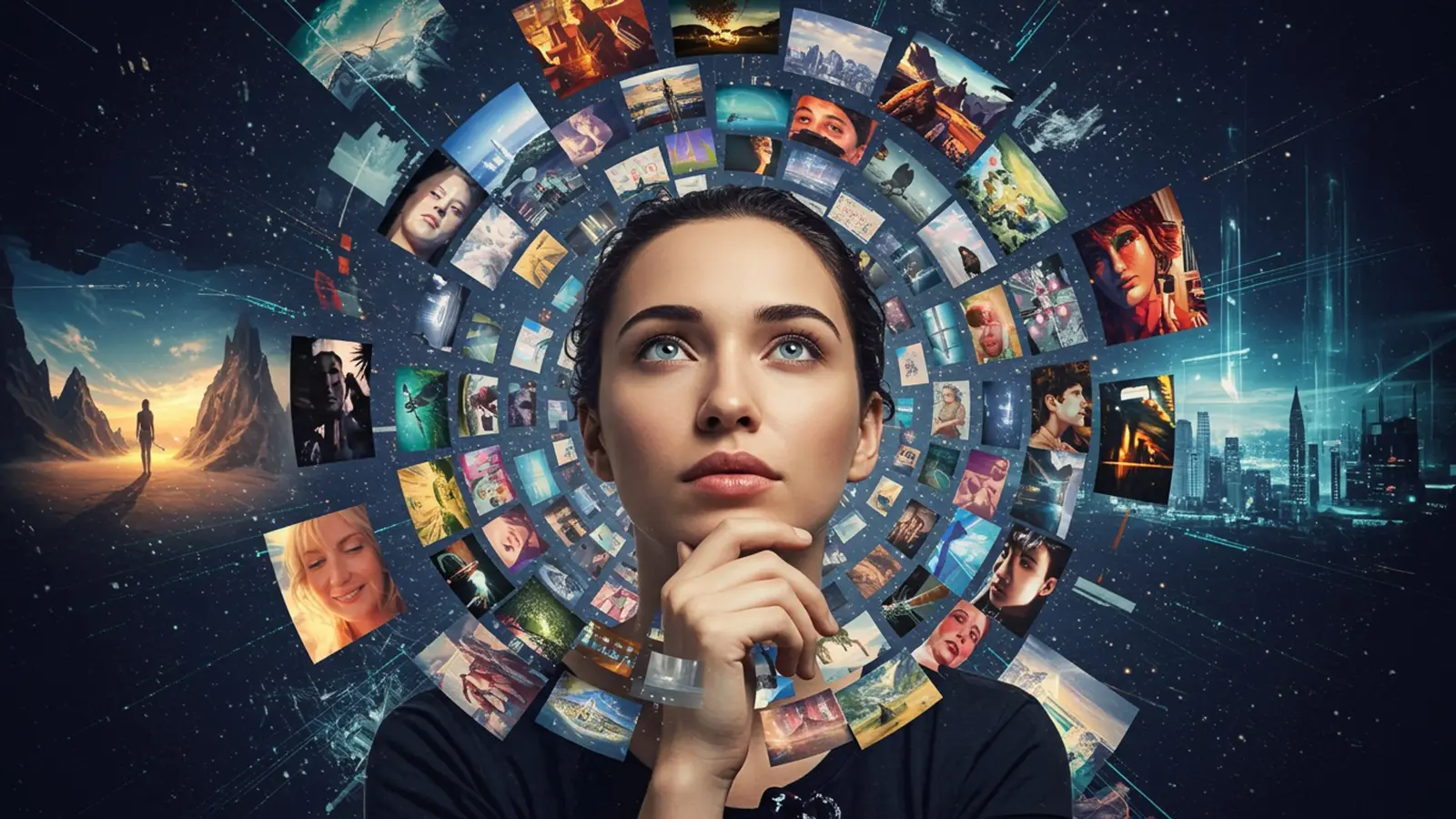
The landscape of digital art fundamentally shifted with the advent of advanced ai image creation tools, moving beyond simple text-to-image to sophisticated visual synthesis. Today, models like Midjourney V6 and Stable Diffusion XL empower creators to conjure photorealistic landscapes, intricate architectural renderings, or even abstract concepts like ‘the melancholy of dawn’ with unprecedented fidelity. This isn’t merely about typing a few words; it demands a nuanced understanding of prompt engineering, control mechanisms like ControlNet. an eye for artistic direction. Mastering this domain means transforming your imagination into tangible pixels, navigating the latest developments to achieve precise, stunning visual outcomes. unlocking a limitless canvas for any picture you envision.

Unveiling the Magic: What is AI Image Generation?
Imagine a tool that can conjure any visual you describe, from a “futuristic cityscape with flying cars at sunset” to a “fluffy cat wearing a tiny wizard hat reading a book in a cozy library.” This isn’t science fiction; it’s the reality of AI image generation. At its core, AI image generation is a revolutionary application of artificial intelligence that empowers computers to create original images based on textual descriptions, other images, or even abstract concepts.
To truly appreciate this technology, let’s break down some fundamental terms:
- Artificial Intelligence (AI): Broadly, AI refers to the simulation of human intelligence in machines that are programmed to think like humans and mimic their actions. In our context, it’s the overarching field enabling machines to learn and create.
- Machine Learning (ML): A subset of AI, ML focuses on building systems that learn from data without explicit programming. For ai image creation, ML models are trained on vast datasets of existing images and their corresponding descriptions.
- Generative Models: These are a specific type of machine learning model designed to generate new content, be it text, audio, or in our case, images. Unlike discriminative models that predict outcomes (e. g. , “is this a cat or a dog?”) , generative models learn the underlying patterns of data to produce novel outputs.
- Latent Space: Think of latent space as a compressed, abstract representation of the training data. When an AI generates an image, it’s essentially navigating and interpreting this high-dimensional space to combine learned features into a new visual.
In essence, these AI models don’t “draw” in the traditional sense. Instead, they learn the statistical relationships between pixels, shapes, colors. concepts from billions of images. When you provide a prompt, the AI uses this learned knowledge to synthesize a brand new image that attempts to match your description, often in ways that are both surprising and breathtaking.
The Core Technologies Behind AI Image Creation
The field of ai image creation has seen rapid advancements, primarily driven by two groundbreaking architectural paradigms: Generative Adversarial Networks (GANs) and Diffusion Models.
Generative Adversarial Networks (GANs)
Pioneered by Ian Goodfellow in 2014, GANs introduced a fascinating “adversarial” training process. They consist of two neural networks:
- The Generator: This network creates new images from random noise, attempting to make them look as realistic as possible.
- The Discriminator: This network acts like a critic, evaluating images and trying to distinguish between real images (from the training data) and fake images (generated by the Generator).
These two networks are locked in a continuous game. The Generator tries to fool the Discriminator, while the Discriminator tries to get better at detecting fakes. This adversarial training pushes both networks to improve, resulting in the Generator producing increasingly realistic and high-quality images. While powerful, GANs often faced challenges with training stability and diversity of output.
Diffusion Models
More recently, Diffusion Models have taken the lead in state-of-the-art ai image creation. Models like DALL-E, Midjourney. Stable Diffusion are all built upon this architecture. The concept is elegantly simple yet incredibly powerful:
- Forward Diffusion: The model learns to systematically add noise to an image until it becomes pure static.
- Reverse Diffusion: The model then learns to reverse this process, starting from pure noise and gradually removing it, step-by-step, until a coherent image emerges. This “denoising” process is guided by your text prompt.
The magic happens during the reverse diffusion. The AI, guided by the text prompt, understands what features to restore and how to arrange them to match the description. This iterative denoising process allows for incredibly detailed, coherent. diverse image generation, often surpassing GANs in quality and versatility.
GANs vs. Diffusion Models: A Quick Comparison
While both are powerful for ai image creation, they have distinct characteristics:
| Feature | Generative Adversarial Networks (GANs) | Diffusion Models |
|---|---|---|
| Core Mechanism | Adversarial training (Generator vs. Discriminator) | Iterative denoising process |
| Training Stability | Can be challenging, prone to mode collapse | Generally more stable |
| Image Quality | Excellent. sometimes limited diversity | Exceptional, high fidelity, diverse outputs |
| Control/Flexibility | Less direct control over specific features | High degree of control (prompt engineering, ControlNet) |
| Computational Cost | Can be high for training large models | High for inference (generation). improving |
| Prevalence Today | Still used. less dominant for text-to-image | Dominant in state-of-the-art text-to-image |
Crafting Your Vision: The Art of Prompt Engineering
The most crucial skill in ai image creation is “prompt engineering”—the art and science of writing effective text prompts that guide the AI to generate the desired image. Think of it as speaking the AI’s language. A vague prompt like “a dog” will yield a generic image. a specific, well-structured prompt can unleash incredible creativity.
Key Elements of an Effective Prompt
To get the best results, consider including these elements:
- Subject: What is the main focus? (e. g. , “a red dragon,” “an astronaut”)
- Action/Context: What is the subject doing or where is it? (e. g. , “flying over mountains,” “floating in space”)
- Style/Artistic Direction: How should it look? (e. g. , “digital painting,” “cinematic,” “watercolor,” “cyberpunk,” “impressionistic”)
- Lighting: Describe the light source. (e. g. , “golden hour,” “neon lights,” “dramatic studio lighting,” “backlit”)
- Composition/Angle: How is the scene framed? (e. g. , “close-up,” “wide shot,” “from above,” “full body shot”)
- Details/Descriptors: Add specific elements. (e. g. , “intricate scales,” “worn leather suit,” “glowing eyes,” “steampunk elements”)
- Quality/Resolution: Keywords to enhance quality. (e. g. , “4K,” “8K,” “highly detailed,” “photorealistic,” “unreal engine”)
Examples of Good vs. Bad Prompts
Let’s illustrate the difference:
// Bad Prompt a house // Good Prompt A charming, rustic cottage nestled in an enchanted forest, sunlight filtering through ancient trees, vibrant wildflowers in the foreground, highly detailed, fantasy art, volumetric lighting, 8K, trending on ArtStation
See the difference? The good prompt paints a vivid picture for the AI, leaving less to interpretation.
Advanced Prompting Techniques
As you delve deeper into ai image creation, you’ll encounter more sophisticated techniques:
- Negative Prompts: Tell the AI what you don’t want. For example, if your image always has blurry eyes, add
(blurry eyes:1. 2)to your negative prompt (syntax varies by model). This is incredibly powerful for refining outputs.
- Weights: Assign importance to certain parts of your prompt. For instance,
a beautiful woman (with red hair:1. 3)would emphasize red hair more.
- Seeds: A seed is a number that determines the initial random noise the AI starts with. Using the same seed with the same prompt will often generate a very similar image, useful for iteration and debugging.
- Iterative Refinement: Don’t expect perfection on the first try. Generate several images, pick the best one. refine your prompt based on what worked and what didn’t. This is where the “art” truly comes in.
My personal anecdote: When I first started experimenting with ai image creation, I’d get frustrated with generic results. I learned quickly that being specific and descriptive, almost like writing a mini-story, drastically improved my outcomes. For instance, I once wanted a “cat in space.” My first prompt gave me a basic cat with a space background. After refining it to “A majestic Maine Coon cat wearing a detailed astronaut helmet, floating gracefully in deep space surrounded by nebulae and distant galaxies, cinematic lighting, hyperrealistic, 8K, award-winning photography,” the results were truly out of this world!
Tools of the Trade: Popular AI Image Creation Platforms
The accessibility of ai image creation has exploded thanks to user-friendly platforms. Here are some of the most popular:
- Midjourney: Known for its stunning, often artistic and dreamlike aesthetic. Midjourney excels at generating beautiful, highly stylized images with minimal prompting. It primarily operates through a Discord bot interface, making it very community-driven.
- DALL-E 3 (integrated with ChatGPT Plus): OpenAI’s DALL-E series has been at the forefront. DALL-E 3, especially when accessed via ChatGPT, offers exceptional prompt understanding and coherence, making it very good at following complex instructions and generating text within images.
- Stable Diffusion: An open-source model that offers unparalleled flexibility and customization. It can be run locally on your own hardware (if powerful enough) or accessed via various web interfaces and services. Its open-source nature has led to a massive ecosystem of fine-tuned models (LoRAs), extensions. tools.
- Automatic1111: A popular web UI for Stable Diffusion, offering extensive controls and features for advanced users.
- ComfyUI: Another powerful, node-based web UI that provides a visual workflow for greater control over the generation process.
Platform Comparison
| Feature | Midjourney | DALL-E 3 (via ChatGPT Plus) | Stable Diffusion (e. g. , Automatic1111) |
|---|---|---|---|
| Ease of Use | Very easy, intuitive Discord commands | Very easy, natural language prompts via chat | Moderate to advanced, requires setup and learning |
| Aesthetic Style | Highly artistic, often cinematic/painterly | Versatile, excellent coherence and realism | Highly versatile, depends on model/LoRA used |
| Prompt Understanding | Good. sometimes artistic interpretation | Excellent, understands complex instructions well | Good. benefits from precise phrasing |
| Customization | Limited built-in settings, parameter-based | Limited direct control, relies on prompt | Extensive (models, LoRAs, extensions, ControlNet) |
| Cost | Subscription-based (paid tiers) | Subscription-based (ChatGPT Plus) | Free (local), or paid cloud services |
| Open Source | No | No | Yes |
Beyond the Basics: Advanced Techniques and Customization
Once you’ve mastered the fundamentals of prompting, the world of advanced ai image creation opens up, offering even finer control over your outputs.
- Inpainting and Outpainting:
- Inpainting: This technique allows you to selectively modify parts of an existing image. For example, you can remove an object, change a character’s clothing, or alter an expression by masking the area and providing a new prompt.
- Outpainting: The opposite of inpainting, outpainting extends an image beyond its original borders, intelligently filling in the new areas based on the existing content and your prompt. Imagine taking a portrait and extending the background to show a full scene.
- Image-to-Image (img2img): Instead of starting from scratch with a text prompt, img2img allows you to use an existing image as a base. The AI then transforms this image according to your text prompt, while retaining aspects of the original composition, colors, or style. This is fantastic for stylizing photos or iterating on existing artwork.
- ControlNet: A game-changer for Stable Diffusion users, ControlNet provides unprecedented control over the structural and compositional aspects of generated images. It works by taking an input image and extracting details like depth maps, Canny edges, human poses (OpenPose), or normal maps. The AI then uses this extracted data to guide the generation, ensuring the output adheres precisely to the desired structure.
For example, if you have a line drawing of a character, ControlNet can make the AI generate a fully rendered image that perfectly matches the pose and outline of your sketch.
- Fine-tuning Models (LoRAs): Low-Rank Adaptation (LoRA) models are smaller, specialized models that can be “plugged into” a larger base model (like Stable Diffusion) to add specific styles, characters, or objects that weren’t strongly represented in the original training data. This allows for highly personalized ai image creation, enabling users to generate images of specific characters, artistic styles, or even their own face.
Real-World Applications of AI Image Creation
The impact of ai image creation extends far beyond generating cool profile pictures. Its applications are diverse and rapidly expanding across various industries:
- Art and Design:
- Concept Art: Artists use AI to rapidly prototype ideas for characters, environments. objects in film, games. animation.
- Illustration: Generating unique illustrations for books, articles. websites, often saving significant time and resources.
- Graphic Design: Creating unique textures, backgrounds, icons. marketing collateral.
- Marketing and Advertising:
- Ad Creatives: Quickly generating multiple variations of ad images for A/B testing, tailoring visuals for specific demographics.
- Product Mockups: Visualizing products in different settings or styles without expensive photoshoots.
- Social Media Content: Producing engaging visuals for posts, stories. campaigns on the fly.
- Gaming and Entertainment:
- Character Design: Rapidly exploring different character concepts and variations.
- Environment Creation: Generating vast, detailed landscapes and architectural elements for game worlds.
- Storyboarding: Visualizing scenes and sequences for films and animations.
- Education and Research:
- Visual Aids: Creating custom diagrams, illustrations. visual examples for educational materials.
- Scientific Visualization: Generating hypothetical scenarios or abstract representations for research purposes.
- Personal Use and Hobbies:
- Custom Wallpapers: Generating unique desktop or phone backgrounds.
- Personalized Gifts: Creating custom artwork for friends and family.
- Creative Expression: Simply exploring artistic ideas and bringing imaginary worlds to life.
Case Study: A Small Business’s Marketing Boost
Consider “Green Thumb Gardens,” a small plant nursery. They struggled with hiring expensive photographers for seasonal promotions. By embracing ai image creation, they were able to:
- Generate images of their plants thriving in various home settings for their website.
- Create festive, seasonal banners for their social media, showcasing plants with holiday decorations.
- Design unique graphics for email newsletters, announcing new arrivals or workshops.
This allowed them to maintain a fresh, engaging online presence without blowing their marketing budget, directly leading to increased customer engagement and sales. The actionable takeaway here is that even small businesses can leverage these tools effectively with a bit of creativity in prompting.
Ethical Considerations and the Future of AI Image Generation
As powerful as ai image creation is, it’s not without its complexities and ethical dilemmas. Understanding these is crucial for responsible use:
- Copyright and Ownership: Who owns the copyright of an AI-generated image? The user who wrote the prompt? The AI model developer? The artists whose work was used in the training data? This is a rapidly evolving legal area with no universally agreed-upon answers yet.
- Bias in Training Data: AI models learn from the data they are trained on. If this data contains biases (e. g. , underrepresentation of certain demographics, stereotypes), the AI can perpetuate and even amplify these biases in its generated images. This can lead to issues like misrepresentation or the generation of harmful stereotypes.
- Deepfakes and Misinformation: The ability to generate highly realistic images of people and events raises concerns about the creation of “deepfakes” – convincing but fake images or videos that can be used to spread misinformation, defame individuals, or even influence elections.
- Impact on Human Creativity and Jobs: While ai image creation is a powerful tool, it also sparks debate about its potential impact on human artists and creative professionals. Will it augment their work, or replace certain roles? Many experts believe it will become another tool in an artist’s arsenal, much like digital painting software did decades ago.
The future of ai image creation is undoubtedly bright and full of potential. We can expect even more sophisticated models, greater control. seamless integration into various creative workflows. But, it’s a technology that demands careful consideration of its societal implications. As users, our responsibility lies in using these tools ethically, thoughtfully. with an awareness of their power and potential pitfalls. By doing so, we can collectively steer this exciting technology towards a future that enhances human creativity and benefits society as a whole.
Conclusion
Mastering AI image generation isn’t merely about typing a few words; it’s about becoming a visual architect, understanding the nuance of prompt engineering and iterative refinement. My personal tip is to approach each generation like a director framing a shot, meticulously considering lighting, perspective. emotional tone. For instance, achieving a consistent character across a narrative series, a common challenge and current trend, often requires careful control over initial seeds and prompt weighting, transforming simple text into a powerful storytelling tool. This journey empowers you to view AI as an extension of your creative mind, not just a tool. Recent developments, like the increasing sophistication of models to grasp complex compositions or even integrate multimodal inputs, mean your imagination is the true limiting factor. Embrace experimentation, learn from every ‘failed’ prompt. you’ll soon find yourself creating truly unique visuals, from photorealistic product mockups to fantastical digital art. The power to manifest any picture you imagine is now firmly in your hands; go forth and create your vision.
More Articles
Generate Unique AI Images Your Step by Step Visual Storytelling Blueprint
Master The Art of AI Prompts Unlock Amazing Creative Results
Spark Brilliant Ideas How AI Boosts Your Creative Brainstorming
Generate Jaw Dropping Videos with These Open AI Sora Prompt Secrets
Create Stunning Videos with AI A Simple Guide for Everyone 
FAQs
What’s this “Master AI Image Generation” course really about?
This course is all about teaching you how to use artificial intelligence to bring any picture you can dream up to life. No more waiting for inspiration or struggling with complex art software – just type what you imagine. AI creates it for you.
Do I need to be some kind of tech guru or an amazing artist to get started?
Absolutely not! This course is designed for complete beginners and anyone curious about AI art. You don’t need any prior experience with art, design, or advanced tech skills. We start from the very basics and guide you every step of the way.
Which AI image tools will we actually learn to use?
We’ll dive into some of the most powerful and popular AI image generators out there, like Midjourney, Stable Diffusion. DALL-E. You’ll learn the ins and outs of each, so you can pick the best tool for your specific creative vision and style.
What kind of cool stuff can I expect to create after taking this course?
The possibilities are pretty much endless! You’ll be able to generate stunning realistic photos, fantastical landscapes, unique character designs, concept art for games or films, product mockups. anything else your imagination can conjure. If you can think it, you can create it.
Will I need a super powerful computer or expensive software for this?
Nope, not at all! Most of the leading AI image generation tools we’ll be using are cloud-based, meaning you access them through your web browser. A standard computer or laptop with an internet connection is usually all you need to get started.
How quickly can I actually start making impressive images?
You’ll be surprised! The course is structured to get you creating engaging images very quickly. While mastering the art takes practice, you’ll learn foundational techniques and ‘prompt engineering’ secrets that will let you generate impressive results right from the start.
What if my first few attempts at AI art don’t turn out perfect?
That’s totally normal and part of the fun! AI art is an iterative process. This course teaches you how to refine your prompts, experiment with different styles. troubleshoot common issues, so you can consistently improve your output and achieve exactly what you envision. Practice makes perfect. we’ll show you how to practice effectively.